
Backing a tractor-trailer gets tricky when you can’t see behind you. Mirrors help with the sides. They don’t show everything behind a 53-foot box.
A trailer backup camera adds a view mirrors can’t provide. That extra angle matters most at loading docks and crowded yards. A small misjudgment there costs real money.
Rain, fog, darkness, a busy yard at 2am; any one can make reversing harder. The right camera setup won’t remove the difficulty entirely. But it will give you a clearer picture of what is back there.
Wired or Wireless? The First Real Decision
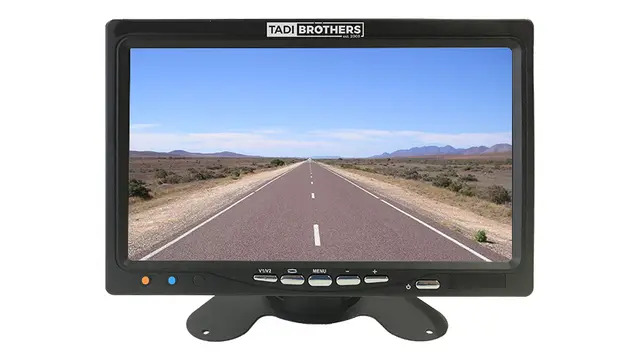
This is usually the first fork in the road.
Wired systems send video through a physical cable. You skip the signal limits that affect some wireless setups. The tradeoff is installation time, since cable has to run from trailer to cab.
Wireless systems cut that wiring out entirely. Installation gets faster, and trailer swaps get easier too. But range varies quite a bit by system. Trailer length, obstructions, and antenna placement all play a key role. Don’t assume every wireless unit performs the same at the same distance. Check the manufacturer’s stated range against your actual setup first.
If you swap trailers often, wireless usually offers more flexibility.
6 Trailer Backup Camera Setups Worth Considering
Different trailers call for different setups. Here is a rundown of six worth considering.
1. Single Wireless Rear Camera is the simplest option, and a solid starting point. One camera mounts toward the back. One monitor sits in the cab. TadiBrothers offers several configurations here, wireless included. Check the specific system’s range before committing it to a long trailer.
2. Wired Multi-Camera System adds rear and side coverage from one monitor. It comes in handy around docks and tight yards. The tradeoff is obvious: more cameras means more wiring. Plan for a longer install than a basic single-camera setup.
3. Commercial-Grade Backup Camera System are used in commercial vehicles that take a beating passenger cars never see. A commercial-grade system usually means weather-resistant cameras and rugged cabling. But the label alone isn’t a real spec. Check the actual weather rating, temperature range, and mounting method instead.
4. RV or Fifth-Wheel Multi-Camera System are used in RVs that often need more than a rear view. Multiple cameras cover rear and side positioning together. Some systems support extra cameras down the line. Confirm how many the system actually supports before buying, along with cable length.
5. Low-Profile Rear Camera gives a smaller footprint for trailers with tight mounting space. It works well in the right spot. Mounting location matters a lot here. The camera needs a clear view, unblocked by trailer structure or cargo.
6. Backup Camera and Parking Sensor Combination is a sensible choice. A camera shows you what is there. A sensor tells you how close it is. They are doing two different jobs, not competing for one. Pairing them helps most around docks, posts, and walls.
Wired vs. Wireless: Quick Comparison
- Signal path: wired uses a cable; wireless transmits over the air
- Installation: wired generally means more cable routing
- Trailer swapping: wireless tends to simplify transfers
- Range: depends entirely on the system and install
- Maintenance: both need proper mounting, power, and connections
Neither option wins automatically. Trailer length and usage should decide this, not a general rule.
Common Wireless Camera Problems
Wireless video acting up? A few usual suspects tend to be behind it.
Distance beyond the rated range is the most common culprit. Trailer structures between transmitter and receiver can weaken the signal too. An unstable power supply causes its own headaches. Antenna placement matters more than people expect. Positioning it the way the manufacturer specifies genuinely helps.
If the problem sticks around, review compatibility requirements first. Don’t assume the camera itself is bad right away.
Is a Trailer Backup Camera Worth It?
That depends on how often you reverse and how long your trailer is. It also depends on what you can already see from the cab.
Ask yourself a few things first:
- How long is my trailer?
- Do I need rear visibility only, or multiple angles?
- Will this system work with my trailer and monitor?
- Do I change trailers often?
- Would parking sensors add real value too?
Answering these honestly narrows things down fast. It also keeps you from paying for features you’ll never use.
Getting the Right Fit for Your Rig
A short utility trailer and a 53-foot reefer aren’t chasing the same solution. Trailer length, mounting location, and power source all factor in. For wireless setups, the manufacturer’s stated range deserves a closer look than most people give it.
TadiBrothers carries systems in a range of configurations. Checking specs against your specific trailer beats guessing every time.
Frequently Asked Questions
Do I need a wired or wireless system for a long trailer?
Either can work, if matched properly to your vehicle. For wireless, confirm the stated range actually suits your trailer.
How long does a trailer backup camera last?
It varies with the camera, install quality, and weather exposure. A solid weather-resistant build helps it hold up longer.
Can I add side cameras later?
Some systems allow it. Others are built for a fixed number of inputs. Check the monitor’s specs before assuming you can expand.
Why does my wireless picture cut out sometimes?
Distance, obstructions, antenna placement, and power issues are the usual causes. Rule those out before replacing the equipment.
Choosing Your Trailer Backup Camera
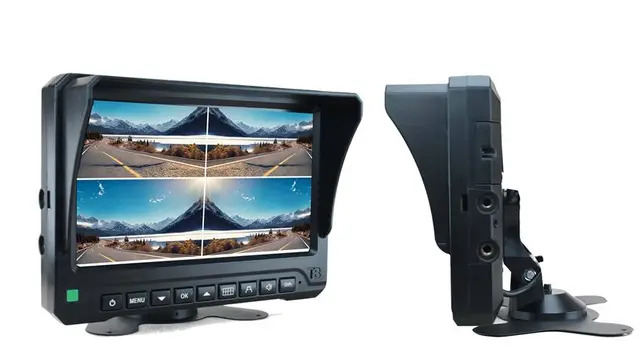
The right setup comes down to what you need to see. It also depends on how your trailer gets used day to day. A single rear camera covers basic visibility fine. A multi-camera system earns its keep in tighter spaces.
Focus on camera placement, viewing angle, weather resistance, and range. Don’t choose based on one spec alone. Get that right, and backing into a dock stops being a guessing game.