
A dual view dash cam records two angles at once.Usually one lens on the road, and the other pointed back into the cabin.
That’s a genuinely useful setup for rideshare drivers, delivery drivers, or anyone who wants more than just road footage. It also heads off a common mixup: dual view isn’t the same thing as dual-channel, which typically covers the front and rear of the vehicle instead of the front and the interior.
Knowing which is which saves you from buying the wrong camera.
Dual View vs. Dual Channel: What’s the Difference?
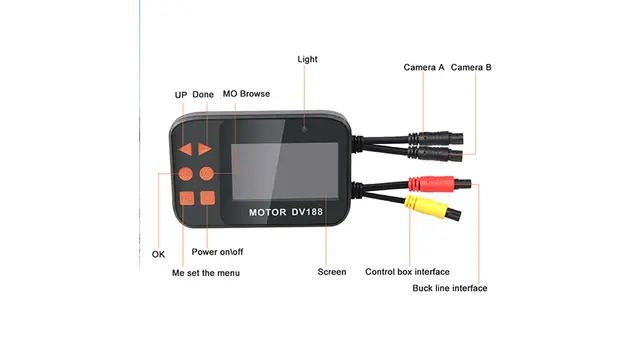
In most listings, dual view means front-and-cabin coverage — one lens on the road, one pointed at the driver and passengers.
Dual channel usually means front-and-rear instead. That’s handy if you want footage from behind the car, but it won’t show you anything happening inside it.
Manufacturers aren’t always consistent with these terms, so check the actual camera configuration before you buy — especially if you drive rideshare or regularly carry passengers and need to know exactly where each lens is pointed.
5 Features That Make a Dual View Dash Cam More Reliable
1. A Useful Interior Viewing Angle
An interior lens needs to capture more than just the driver’s face.
A wider angle picks up more of the cabin and more of what passengers are actually doing, though the real coverage comes down to camera placement, vehicle size, and lens design just as much as the spec sheet.
Look at sample footage before you commit to a model if you can find any. A wide-angle claim doesn’t mean much if half the cabin still falls outside the frame.
2. Good Low-Light Performance
Cabin footage gets tricky after dark. Street light rarely reaches into the car, and passengers can end up as little more than shadows on screen.
Infrared night vision helps — particularly for anyone working late shifts or long stretches on the road. But don’t judge night performance purely by how many infrared LEDs a camera lists. Sensor quality, lens, placement, and image processing all shape what actually shows up in the footage.
3. Enough Resolution for Both Views
A higher resolution number doesn’t automatically mean better footage.
What matters is whether both cameras capture enough detail to actually be useful. The front lens often needs the higher resolution, since it’s picking up road signs, plates, and other vehicles from a distance. The interior lens has a different job — it just needs solid detail up close.
Check the resolution of each camera separately. Don’t assume the two lenses perform the same just because they’re bundled into one unit.
4. Protected Event Footage
Continuous recording only helps if the important clips survive long enough to actually watch them.
A G-sensor picks up sudden movement or impact and locks the surrounding footage before it gets overwritten. A manual lock button gives you a backup way to save a clip when nothing dramatic enough to trip the sensor happens — but something still worth keeping does.
G-sensor sensitivity isn’t consistent across brands, so check how a specific camera handles event locking before you count on it.
5. Storage That Matches Your Driving
Storage needs come down to more than the size of the card.
Resolution, bitrate, frame rate, recording length, and channel count all eat into available space — and a dual view camera recording two streams at once fills a card faster than a single front-facing unit. That adds up quickly for rideshare drivers, delivery drivers, truckers, and fleets logging long hours on the road.
Stick with whatever card capacity the manufacturer actually recommends for your camera. A high-endurance card also holds up better under the constant write-and-overwrite cycle dash cams put it through.
Who Should Consider a Dual View Dash Cam?
Rideshare drivers are the obvious fit.
An interior camera gives you documentation if something happens inside the vehicle, while the road-facing lens still covers everything a standard dash cam would — two angles from one setup.
Delivery drivers and other commercial drivers may see similar value, depending on what they actually need documented during a shift. Fleet operators tend to have different needs altogether — a larger vehicle often does better with a multi-camera system covering several angles around it rather than just two.
TadiBrothers builds camera systems across different vehicle types and commercial applications, including multi-camera setups for larger vehicles.
Explore TadiBrothers’ Camera Solutions
Is It Legal to Record Passengers?
Worth checking before you install anything pointed at your passengers.
Recording laws differ from state to state, and audio brings its own consent questions separate from video. Rideshare platforms often have their own notification requirements on top of that.
Don’t assume the rules are the same everywhere you drive — check your local laws and your platform’s current recording policy if you’re using the camera for work. If audio isn’t something you need, see whether the camera lets you turn it off; that alone can simplify things depending on where you drive.
Does Parking Mode Need a Hardwire Kit?
Depends entirely on the camera.
Some models need a continuous power source or a dedicated hardwire kit to keep recording once the engine’s off. Others handle power differently. Check the exact requirements before installation rather than assuming any camera will keep filming after you park.
How Much Storage Do You Need?
There’s no single right answer, but 128GB is a solid starting point for most dual-view dash cams. A 64GB card can work for shorter daily drives, while 256GB makes more sense for long shifts, frequent driving, or heavier parking-mode use.
As a rough guide, expect around 4–6 hours from 64GB, 8–12 hours from 128GB, and 16–24 hours from 256GB when recording two channels. Actual recording time varies with resolution, frame rate, bitrate, and how much storage your camera supports. Always check the camera’s recommended card capacity before buying.
Can you give a ballpark please.
Is a Dual View Dash Cam Worth It?
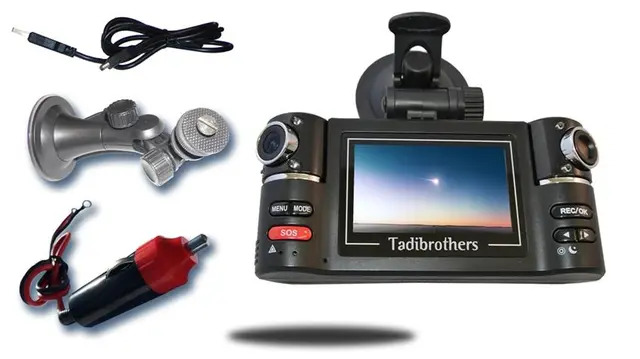
For the right driver, yes.
A front-facing lens covers the road. A second, interior-facing lens adds a perspective that a front-and-rear setup simply can’t provide. The trick is matching the configuration to your actual routine — rideshare drivers probably want strong cabin coverage and night performance, while commercial operators may need more cameras, more storage, GPS, or other fleet-specific features.
TadiBrothers carries everything from single dash cams to full commercial camera systems, so you can build toward how the vehicle is actually used rather than settling for a generic setup.
View TadiBrothers Dash Cam Options
The best camera isn’t the one with the longest spec sheet. It’s the one recording the angle you actually need when something unexpected happens.