
A dash cam with loop recording shouldn’t just keep filming until the memory card is full. It should also make sure you can grab the footage that matters before the camera quietly records over it.
That’s the part people don’t think about until it’s too late — after an accident, a hard brake, a parking-lot scrape. Loop recording handles storage on its own, but a handful of other features decide whether the one clip you actually need is still sitting there when you go looking for it.
For everyday drivers, RV owners, truckers, and fleet operators, those details end up mattering more than the marketing copy suggests.
What Is Loop Recording?
Loop recording means the camera keeps filming without you ever having to delete old files by hand. It saves footage in short segments, and once the memory card fills up, it starts overwriting the oldest clips with new ones.
Simple enough — except for one catch. Footage you actually need has to be pulled out of that overwrite cycle before it disappears.
Most cameras rely on a G-sensor to catch a sudden impact and lock the relevant clip automatically. Some also give you a manual lock button, so you’re not entirely dependent on the sensor catching everything.
Exact recording length and storage capacity come down to the camera itself — resolution, bitrate, number of channels, and a few other settings.
5 Features That Make Loop Recording More Reliable
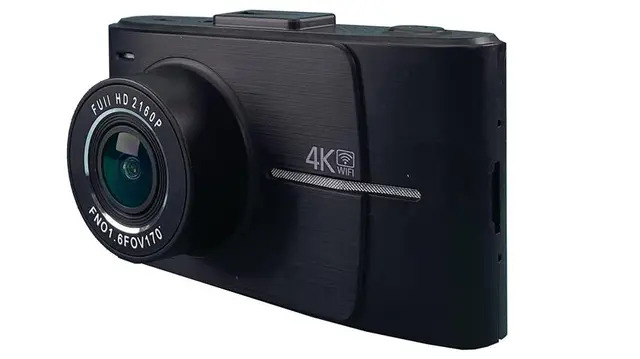
1. Event Locking
This is what keeps footage from getting overwritten after something actually happens.
A G-sensor picks up sudden changes in motion — a collision, a hard stop — and locks the surrounding clip automatically. It saves you from digging through hours of ordinary driving footage later, trying to find the ten seconds that matter.
That said, G-sensors aren’t all built the same. Sensitivity varies by model, so it’s worth checking how a specific camera handles event files before you buy it.
2. Manual Video Locking
Not everything worth keeping is dramatic enough to trigger a sensor.
Someone cuts you off. You witness something on the road. You come back to your car and notice new damage. A manual lock lets you save the current clip yourself, on the spot, before it cycles out with everything else.
It’s a small button, but it hands you control the G-sensor can’t always provide.
3. Storage That Matches Your Driving
More storage isn’t automatically better. What matters is whether the storage fits how and where you actually drive.
A single-channel 1080p camera eats up far less space than a multi-camera system recording several angles at once, and higher resolution or bitrate pushes those numbers up further.
This matters even more for trucks, RVs, buses, and fleet vehicles — anything logging long hours can burn through stored footage much faster than a daily commuter would. Skip the generic “hours per gigabyte” estimate and check the manufacturer’s recommended card capacity for your specific camera instead.
4. A High-Endurance Memory Card
It’s easy to overlook the memory card, but it’s doing more work than people give it credit for.
Dash cams write and overwrite footage constantly, and a standard consumer card isn’t really built for that kind of nonstop cycle. High-endurance cards exist specifically for this kind of workload.
Check what your camera’s manufacturer actually supports before buying one. A compatible, high-endurance card removes one of the more common points of failure in a recording setup.
5. The Right Camera Setup for Your Vehicle
A single front-facing camera can capture plenty from a passenger car. Commercial vehicles usually need more than that.
Trucks, RVs, buses, and fleet vehicles often benefit from multiple cameras covering different angles — which is where a mobile DVR or multi-channel system starts to make more sense than a basic consumer dash cam.
TadiBrothers builds commercial camera systems for exactly this kind of use — trucks, fleets, RVs, and buses — with options that combine multiple channels alongside GPS, G-sensor detection, remote viewing, and ELD compatibility, depending on the system.
Explore TadiBrothers Dash Cams
What Should Fleet Operators Look For?
Loop recording matters even more once a vehicle is on the road for hours every day.
A single front camera usually isn’t enough for a fleet. Multi-channel recording covers more angles, GPS ties location data to each event, and some systems add remote access so footage across a fleet doesn’t have to be pulled manually from every vehicle.
The right setup really comes down to the vehicle. A delivery van doesn’t need the same configuration as a semi or a passenger bus — storage, camera count, resolution, and installation all have to be weighed together for the vehicle in question.
Does Loop Recording Work When the Vehicle Is Parked?
Not always.
It depends on the camera and how it’s powered. Some models include a dedicated parking mode that keeps recording after the engine’s off, but that mode might rely on motion or impact detection rather than continuous filming — and it may need its own power setup or hardwiring to work at all.
If parking coverage matters to you, check exactly what that mode requires before you install anything.
How Long Does Loop Recording Keep Footage?
There’s no single number here. It comes down to:
- Memory-card capacity
- Video resolution
- Bitrate
- Number of cameras
- Frame rate
- Recording settings
A bigger card holds more footage, but it doesn’t guarantee a specific number of hours — especially for multi-camera setups, where it’s worth calculating storage against your actual configuration instead of a rough estimate.
Is Loop Recording Worth Having?
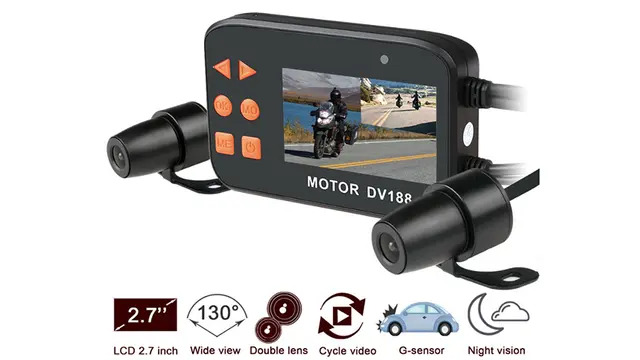
For most drivers who want continuous coverage, yes. It means never having to manually clear the card, and the camera’s always ready for the next trip.
But loop recording only works as well as the features protecting it. Event locking, manual locking, the right amount of storage, and a card built for the job all matter just as much as the recording itself.
For commercial vehicles, the camera setup matters just as much as any of that — a multi-camera system simply sees more than a single front-facing unit ever could.
TadiBrothers carries everything from everyday dash cams to full commercial fleet systems, so the right pick really depends on the vehicle and how it’s used.
View TadiBrothers’ Dash Cam Options
The real test of a dash cam isn’t how much it records. It’s whether the right ten seconds are still there when you need them.