
Most dash cams today can record audio, and most let you switch the microphone off with a simple setting. The bigger question isn’t whether they can record audio. It is whether you want to record audio at all. But once you know that much, the real questions start piling up. How’s the mic actually working there? Is this even legal in your state? And do you actually want the thing listening in the first place?
We get this question a lot at TadiBrothers, and honestly, it is a good one to ask before you buy rather than after. Many TadiBrothers dash cams let drivers turn audio recording on or off directly from the settings, making it easy to match local laws and personal preferences. A dash cam looks simple enough mounted on the windshield, but audio recording introduces privacy and legal considerations that many drivers never think about until after they buy one. Most people never think about it until it is already too late to un-record something.
So How Does the Audio Part Actually Work?
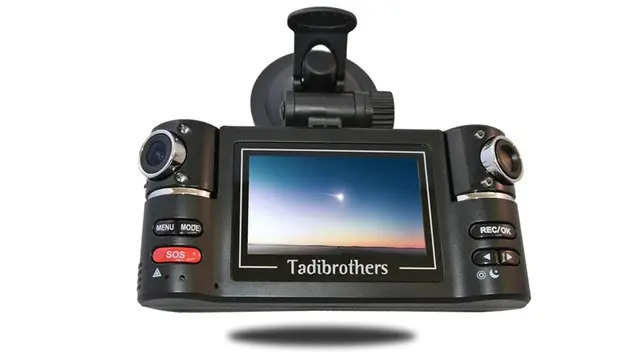
Most modern dash cams include a built-in microphone. It’s picking up whatever is happening inside your car, and depending on the model, sometimes it catches outside sound too. The audio is recorded alongside the video, so when you pull up footage later, you are getting both.
There is a real upside here. A horn blaring, someone shouting, the sound of metal crunching in a fender bender… that stuff fills in details the video alone might not fully capture. But here is the thing nobody tells you when you are standing in the store: your passengers may not expect their conversations to be recorded. That’s the exact reason a lot of drivers just switch audio off and never look back.
1. The Legal Stuff Trips People Up More Than You’d Think
This is where most people get caught off guard. Video recording itself is generally legal across the United States. However, windshield mounting rules and privacy laws vary by state. Audio is a whole different story though.
Some states want everyone in the car to know and agree before you start recording their voice. California is one of them. So is Florida. Skip that step and record a private conversation anyway, and you could end up in legal hot water you never saw coming.
States including California, Florida, Illinois, Pennsylvania, and Washington have stricter audio recording laws, so it is worth checking your local requirements before enabling audio.
None of this means you cannot have a dash cam if you live in one of these places. It just means audio isn’t something you flip on and forget about, at least not without thinking it through first.
2. Audio Is Helpful, But Not Everyone Needs It
Sometimes that microphone is genuinely useful. Other times it’s just sitting there, not really adding much.
Audio can be especially useful when you want extra context around an incident, when you are hoping to catch sirens or horns or the actual sound of impact, or when you drive for work and need as complete a record as possible.
It matters a lot less if you are mainly after proof for an accident claim (video usually does that job on its own), if you are regularly driving friends or family around, or if you live somewhere with tighter consent laws. Video tends to carry most of the weight in these situations anyway. Audio’s more like a nice extra than the main event.
3. Not Every Dash Cam Records Audio the Same Way
Some mics are just better than others, plain and simple. A few dash cams let you mute audio with one tap, no digging through menus. Some premium dash cams include interior-facing microphones or let you adjust recording settings independently into separate channels, which is genuinely handy if you want road noise without every word said in the cabin.
If you are specifically shopping for a dashcam with audio recording, here is roughly how we would think about it: start with video quality first, since that is still doing most of the heavy lifting. Then check how the mic actually sounds. Make sure switching audio on or off doesn’t take five taps through some confusing settings screen. And test it out for real before you’re counting on it in an actual moment.
Get those right, and audio becomes a useful feature instead of a legal concern.
4. Turning Audio On or Off Isn’t Complicated
Most dash cams let you handle this right in the settings, no special tools needed. You can usually turn it fully on, fully off, or set it to only record in certain modes.
Leave it on if you like having that extra context around whatever happens. Turn it off if passengers are a regular thing in your car. Definitely turn it off if your state leans strict on consent. And test the setting once before you actually need it, not in the middle of an incident when it is too late to fix.
5. Audio is Just One Piece of the Puzzle
When you are actually shopping for a dash cam, don’t let audio be the only thing steering your decision. Clear video still matters most, full stop. Night vision, a decent wide angle, GPS logging, storage you can actually trust… those are the basics that make or break the whole thing.
Some models nail the audio, while others clearly treat it as an afterthought. A few let you mute audio with one tap, while others make you dig through multiple settings. Worth paying attention to if you drive for work or regularly carry passengers.
At TadiBrothers, we tend to point people toward gear that just works day to day, with clear footage, reliable recording, and controls that make sense without reading a manual first. Our dash cam lineup includes models for personal vehicles, commercial fleets, RVs, and heavy-duty trucks, so the right choice often depends on how and where you drive. If audio is part of what you’re after, we’re happy to help you find a system that fits your needs.
A Quick Gut Check Before You Buy
Worth asking yourself:
- Do I actually want audio, or is video enough on its own?
- Am I usually driving with other people in the car?
- Does my state have strict rules around audio consent?
- Do I need interior and exterior audio, or just one of them?
- How easily can I switch audio on and off when it matters?
Nothing fancy here, just questions that help you land on something that fits how you actually drive instead of whatever’s flashiest on the shelf.
Why Any of This Is Worth Thinking About
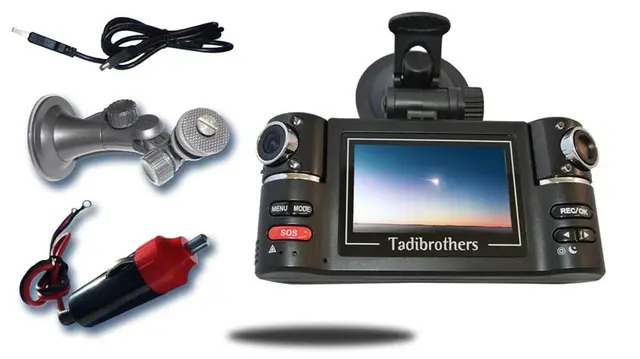
A dash cam is a small thing, but it can matter a lot the one time you actually need it. Insurance dispute, minor fender bender, or just some peace of mind on a long drive, having that footage sitting there is worth something.
Audio adds a layer to all that. Sometimes it fills in exactly what happened. Other times it just adds a headache you didn’t need. Better to think it through now than sort it out after the fact.
You don’t need the fanciest camera on the market. You need one that does its job and actually matches how you drive.
One Last Thing
Getting a dash cam isn’t about landing on the “perfect” setup. It is about having something solid in your corner when it counts. You want footage you trust and a setup you are comfortable using every single day, without second-guessing it.
Audio recording laws can change over time, so check your state’s current requirements before relying on any recording feature.
Get the basics right and you get the upside without the extra risk hanging over you. And if you’re still not sure, asking these questions now beats figuring it out the hard way later.
FAQs
1. Can I turn off audio recording on my dash cam?
Yes. Most modern dash cams let you disable audio recording through the settings menu, allowing you to keep video recording while turning the microphone off.
2. Does audio recording improve insurance claims?
Audio can provide additional context, but clear video footage usually carries the most weight during accident investigations.