
The best Toyota Tundra backup camera upgrade fixes what you cannot see. That might be a tight parking spot or your trailer hitch. Your truck is big, and even small gaps can feel tight. You need a clear view, not a screen full of guesswork.
Before you buy, check your truck’s year and current setup. TadiBrothers offers reliable backup camera systems designed for trucks, including wireless options. But which setup works best for your driving needs? These five buying tips help you choose the right camera, screen, and features.
Which Toyota Tundra Backup Camera Setup Fits Your Truck?
Not all Tundras use the same rear camera or dash screen. A kit that fits one model may not fit yours. So check the year, trim, and factory screen before you shop. This quick guide shows where to start your search.
| Tundra model years | What to check first | Smart next step |
| 2000–2006 | Many trucks lack a built-in rear camera display. | Look for a kit with its own screen. |
| 2007–2013 | Some trucks have no factory camera. Other trims have one. | Check for an old screen or camera plug. |
| 2014–2021 | Factory camera and screen setups can vary by year. | Check the tailgate camera and screen connections. |
| 2022–2026 | Factory cameras may work with more built-in truck features. | Keep those features intact when adding a new view. |
Don’t use this chart as a fit guarantee. Your trim and screen still decide what will work. Check the kit’s fit notes before you buy it.
1. Check Your Factory Camera Before You Replace It
A dim screen does not always mean your camera has failed. Mud, road salt, and rain can blur the lens fast. You may spot this after a long drive on wet roads. First, rinse the lens and wipe it with a soft cloth.
Next, shift into reverse while parked in a safe spot. Does the image load at once, or does it go black? Do the guide lines look wrong after tailgate work? Those clues help you find the real fault.
A loose plug may need repair, not a whole new kit. If the screen works but the view feels poor, add coverage. That way, you keep the gear that still works well. A shop can check faults you can’t see from outside.
2. Pick a Camera Spot That Shows What Matters
Where you mount the lens matters more than you might think. A Toyota Tundra backup camera needs the right view, not just width. Think about the last time you tried to hook up. Could you see the tow ball, or just the bumper?
Three common camera spots serve three different needs:
- License plate: A good option for simple parking and rear views.
- Tailgate handle: A higher view may show more space close behind.
- Trailer rear: An added camera can show the space behind your trailer.
Try the view before you lock the mount in place. Make sure the tailgate can open without tugging any wire. Keep the plate, lights, and latch clear at all times. One extra test now can save an annoying fix later.
3. Choose a Toyota Tundra Backup Camera With a Useful Screen
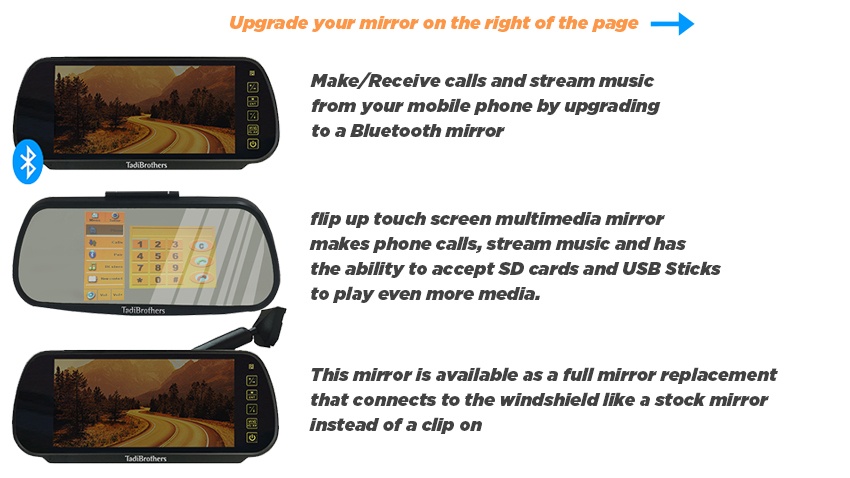
The sharpest camera will not help if you miss the screen. Your dash may be full, or the stock screen may work fine. A clip-on mirror screen can keep the dash less crowded. You still need to check its size and sight lines.
A useful truck-focused camera option comes from TadiBrothers. Its 7-Inch Wireless Mirror Camera Kit pairs a plate camera with a mirror screen. The rear camera offers a 120-degree view and night vision. The screen also takes a second compatible camera for trailer use.
That second view can help when your trailer blocks the rear. The maker lists a 70-foot wireless range for this kit. But range can change with metal parts and nearby signals. Test the live view on your own truck before final fit.
One key point: This kit has its own mirror screen. It does not promise a link to your Toyota factory display. Check mirror fit, power needs, and any built-in mirror features. If your truck has a smart factory setup, leave it intact.
4. Plan the Power and Wires Before You Start
Wireless video does not mean your camera needs no wires. The rear unit still needs power to send its view. Your mirror screen needs power as well, so plan both ends. This is where a quick install can turn into a headache.
If you want a view only in reverse, check the kit’s wiring guide. Some setups can also stay on while you drive. Pick the mode that suits your trips and wiring plan. Have a pro help if you are unsure about truck wiring.
Run through this short check before you fit anything:
- Check the plate mount and the tailgate’s full swing.
- Find safe spots for power leads and ground points.
- Keep wires clear of sharp metal and hot exhaust parts.
- Test the screen and camera before you hide cables.
- Seal exposed joints and secure loose wire runs.
A clean setup should work in rain, not just sunshine. If the feed cuts out, test the power and signal first. Do not drill near hidden truck wires without checking first.
5. Test Night Views and Trailer Backing in Real Life
A Toyota Tundra backup camera should work well after dark. A bright porch light is not the same as a dark lot. So test your screen at night in a safe spot. Look for glare, dark patches, and slow screen response.
Next, try a small parking test with a helper. Place clear markers where you can see them from outside. Check how their screen size changes as you back up. Keep your foot near the brake and move with care.
Do you tow a boat or camper most weeks? Hook up your trailer and test the view again. The tow ball may show well, while rear traffic stays hidden. A second trailer camera may fix that blind spot.
Toyota warns that rear screens do not replace your own checks. Use your mirrors and look around before each move. The goal is more clues, not a false sense of ease.
Which Setup Should You Pick for Your Tundra?
You do not need the same kit as the next truck owner. Your best choice rests on what you do each week. Think about the view you lack, not just screen size. This chart keeps that choice clear and quick.
| Your main need | Camera setup to look for | Why it helps |
| No working rear view | A camera and its own screen | Adds a view without relying on the stock dash. |
| Clear stock camera, poor hitch view | An added camera aimed at the hitch | Shows the spot you need at hook-up time. |
| Frequent towing | A two-camera screen with a trailer camera | Lets you check more than the truck’s rear. |
| Newer truck with built-in views | A separate add-on or verified fit kit | Helps keep stock features in place. |
If you want a mirror display, look at TadiBrothers’ truck kit. Its spare camera input gives you room to add coverage. Just check the fit and wiring for your exact truck.
Make Your Next Reverse Move Less of a Guess
A good Toyota Tundra backup camera setup should match your daily needs. Start with the blind spots that make parking or towing difficult. Then choose a clear view, safe wiring, and the right screen. TadiBrothers offers backup camera systems designed to improve rear visibility. Explore their options to find a setup that suits your truck. Why settle for blind spots when a smarter view can help?
Toyota Tundra Backup Camera FAQs
Can You Add a Wireless Camera to an Older Tundra?
Yes, many older trucks can use a stand-alone wireless kit. The camera still needs power, even with wireless video. Check the mount and screen fit for your model year.
Will an Aftermarket Camera Work With Your Factory Screen?
Not every camera will link to your stock screen. Some trucks need an adapter made for their exact setup. A separate mirror screen can be the simpler route.
Why Does Your Rear Camera Look Blurry?
Road film or rain may coat the lens. Start with a soft, wet cloth and a gentle rinse. If the blur stays, check the lens and screen connections.
Is a Wide Camera View Enough for Towing?
No single angle shows each side of a long trailer. A rear trailer camera can add one more useful view. You still need mirrors and a clear look around.