
A Sprinter van backup camera shows you what mirrors simply cannot: the space directly behind the van. That is a real problem on a windowless cargo Sprinter, and it gets worse once you throw a camper build into the mix. Things like cabinets, a bed frame, gear stacked to the ceiling, any of that can block your rear window before you have even backed out of the driveway.
Factory cameras usually fall short for one of three reasons, mounting position matters more than people expect, and a decent aftermarket install comes down to a handful of things worth checking before you buy.
Why Your Factory Sprinter Camera Might Be Letting You Down
Having a factory camera doesn’t mean you are actually covered. A few things tend to go wrong over time.
- The image gets worse: Dirt, moisture, and general weather exposure take a toll on the lens, and a scratched or foggy cover doesn’t help either.
- Wiring hiccups happen: A loose connection or a wiring fault can leave you with a flickering feed or no image at all, usually at the worst possible moment.
- It only works in reverse: Plenty of factory setups give you a rear view purely when backing up, and nothing while you are driving forward.
That last one is the sneaky problem. If you are threading through a job site or backing into a tight campground spot in the dark, “only works in reverse” isn’t of much help.
How a Sprinter Van Backup Camera Works
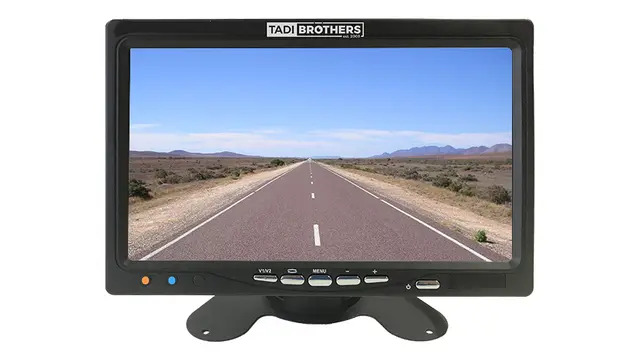
Where the camera sits, and how it connects to your display, changes quite a bit about how it performs.
Mounting high near the top rear of the van typically gives you a wider view over whatever is stacked in back. Some builders prefer lower mounts instead, near the rear doors or the license plate, depending on what the van’s actually used for.
As for getting the picture to your screen: wired systems run a physical cable from camera to monitor. More work up front, but nothing relying on a wireless signal. Wireless systems skip that long cable run, which is genuinely handy on a long van, though real-world range depends on the specific system, how far the signal has to travel, and what is in the way.
TadiBrothers carries Sprinter camera systems in a few different configurations, so check the camera, monitor, mounting hardware, and power specs for the exact one you are eyeing before buying.
Where to Mount a Camera on a Sprinter Van
Upper rear mount: This is the go-to place for a reason. You get a wider view down toward the bumper, and the height keeps the lens a bit further from road spray. Just double-check the viewing angle isn’t blocked by racks, ladders, or anything else back there.
License plate area: It is a lower place and usually simpler to install. The view is more direct, straight-on, which suits you fine if all you care about is what is immediately behind the van.
Rear door: Common on camper conversions where the door is the natural spot. If you are running wire through the door itself, route it somewhere that won’t rub against the seal or get caught when the door opens and closes.
Wiring a Sprinter: What It Actually Takes
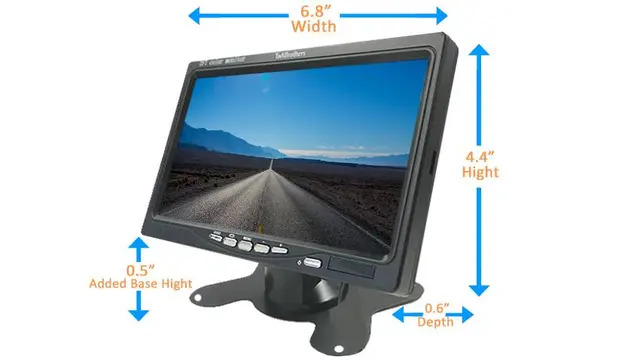
How hard this is really depends on your van’s interior and which camera you have picked. Generally, you are looking at:
- Running the cable through whatever trim or panels give you access
- Keeping it secured, away from sharp edges or moving parts
- Staying well clear of airbags and other safety hardware
- Wiring up the camera and monitor per the instructions that came with them
- Getting power connected properly
Want the camera to switch on automatically in reverse? You will need a reverse-trigger connection too, and here is the catch: don’t assume a wire’s color tells you what it does. That varies by model year and trim level. Pull up the van’s actual wiring info and check the circuit with a multimeter before you tap into anything.
Working near the A-pillar? Be careful around the airbag there. Follow the actual routing instructions from both the vehicle and camera manufacturers rather than just shoving cable behind the trim and hoping.
Reverse-Only or Always-On?
This really comes down to how you drive.
Reverse-only kicks the camera on the second you shift into reverse, assuming it is wired that way. Always-on keeps the feed running the whole time you’re driving, if your camera and display support it.
If you are constantly navigating tight job sites or watching traffic behind a big van, always-on is worth having. If backing up safely is really all you need, reverse-only does the job just fine.
What to Look for in a Sprinter Van Backup Camera
- Check your exact Sprinter setup first. Body style, model year, wheelbase, it all varies, and a camera built for one configuration won’t necessarily fit another.
- Look at the weather resistance rating. A camera hanging off the back of your van deals with rain, dust, and temperature swings constantly, so check the manufacturer’s actual specs rather than assuming.
- Judge night performance on real footage, not just the phrase “night vision” printed on the box.
- Confirm your display will actually work with it. Connector type, video format, power needs, all of it matters, especially if you are hoping to use your factory infotainment screen. That compatibility isn’t automatic.
- Think ahead if you might add more cameras. Some monitors support a second or third input, which is handy down the line, but check before assuming yours does.
How Difficult Is Installation?
It varies a lot. An empty cargo van gives you easy access to the panels and cable routes you will need. A finished camper build is a different story entirely, since cabinetry, insulation, and flooring can turn a simple run into a much longer job.
Going wireless cuts down on cable work but still means dealing with power and setup properly. Wired takes more effort upfront but gives you a connection that just works, no signal concerns. If wiring, airbags, or interior trim make you nervous, it’s worth having a professional handle it.
Is a Sprinter Backup Camera Worth It?
For straightforward backing assistance, a single rear camera usually covers it. If you are regularly dealing with loading docks, campsites, or tight parking, extra coverage or an always-on display starts to make a real difference.
TadiBrothers offers Sprinter-compatible setups for different needs. Rather than shopping by price alone, compare camera position, viewing angle, display compatibility, power requirements, weather resistance, and wired versus wireless.
Bringing It All Together
A Sprinter van backup camera fills in a gap your mirrors just can’t cover. Start with where you will mount it, then work through image quality, night performance, weather resistance, and whether wired or wireless fits your situation.
The point isn’t just bolting on a camera. It is picking a setup that actually shows you the exact spot you’ve been struggling to see all along.
FAQs
How difficult is it to route a backup camera wire in a Sprinter?
Depends heavily on the van. An empty cargo interior is much easier to work with than a finished camper build.
Where is the reverse-light wire on a Sprinter?
That depends on your specific configuration. Check the vehicle’s wiring documentation and test the circuit yourself rather than guessing based on wire color.
Can I use an aftermarket camera with my factory infotainment screen?
Sometimes, it comes down to the camera’s format and connector matching your OEM system. Often a dedicated aftermarket monitor is the simpler route.
Will a wireless system work on an extended-wheelbase Sprinter?
It can, as long as the stated range covers your van’s length and accounts for whatever might get in the way of the signal.