
The best F150 backup camera depends on your truck’s year, towing needs, and current camera setup. License plate cameras help with parking, while higher cameras offer better views of truck beds. Wired, wireless, and 360-degree systems give you more choices.
But which setup makes sense for your truck? You don’t want to buy a camera that won’t fit. You also don’t want to pay for features you rarely use.
This guide explains five options and helps you choose the right one.
Why Might Your Ford F-150 Need Another Backup Camera?
Your Ford F-150 may already have a rearview camera. Yet one camera cannot show every part of your truck.
Think about backing toward a trailer after a long workday. Your rear camera may show the bumper and hitch. But it might not show the full trailer or truck bed.
Some newer F-150 models offer bed cameras and 360-degree views. These features depend on the model year and equipment package.
An extra camera may help with several tasks:
- Parking: See curbs and objects behind your truck.
- Towing: Get another view of your trailer.
- Loading: Check items inside the truck bed.
- Reversing: See areas your mirrors may miss.
- Daily work: Monitor selected areas around your truck.
The goal is not to add more screens. It is to get the view you actually need.
1. License Plate Backup Cameras for Easy Parking
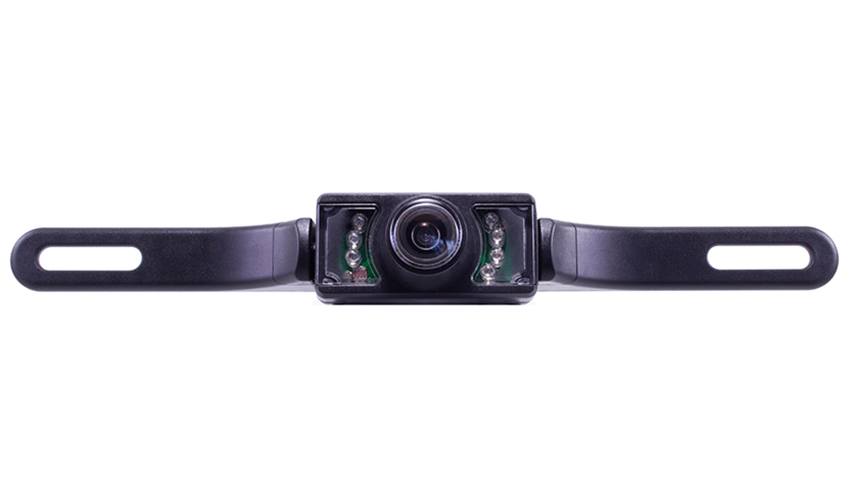
A license plate camera is a simple rearview option. It mounts near the plate on your rear bumper. This position helps you see nearby objects while reversing.
Picture parking your F-150 in a tight driveway. A low camera can help show curbs and nearby obstacles. It also gives you another way to check your parking space.
Many cameras use the existing license plate holes. This can reduce the need for extra drilling.
What Should You Check Before Buying?
Start with the camera’s viewing angle and picture quality. A wide lens can show more of the area behind you. However, wide lenses may make objects look farther away.
Night vision is also useful for late drives. Your camera should handle rain, dirt, and changing weather.
Check these features before buying:
- Mounting fit: Check the plate and bumper layout.
- Image quality: Look for a clear rear view.
- Night vision: Check how the camera performs after dark.
- Weather protection: Review its dust and water ratings.
- Monitor: Confirm which screen comes with the kit.
The TadiBrothers License Plate Backup Camera with Rear View Monitor is one option. It includes a standard-definition camera and seven-inch monitor. The camera also supports night vision and an adjustable vertical angle.
Best for: Owners who need basic rear visibility without a complex setup.
2. Third Brake Light and Overhang Cameras for Towing
Sometimes, the view from your bumper isn’t enough. You may need to see inside the truck bed. A camera mounted higher can help with that task.
A third brake light camera sits near the rear cab light. An overhang camera mounts higher on a suitable surface. Both can provide a view from above.
Imagine hauling tools or camping gear in your F-150. A higher camera may help you check your load. It can also show areas your bumper camera misses.
Which High-Mounted Camera Works Better?
Third brake light cameras can offer a neat factory-style look. However, their housings must match the exact vehicle. A camera made for another Ford truck may not fit your F-150.
Overhang cameras offer more choice in mounting positions. But you still need a secure location and clear viewing angle.
Before choosing, check these details:
- Brake light fit: Confirm the exact F-150 model year.
- Camera angle: Make sure it shows the needed area.
- Mounting space: Check for a safe, sturdy mounting point.
- Weather seal: Protect any holes and wiring from moisture.
- Light function: Keep the required brake light working.
TadiBrothers offers third brake light and overhang camera systems. However, the range includes products designed for other vehicle models.
Best for: Owners who want an elevated view of cargo or towing areas.
3. Wired Backup Cameras for a Stable Connection
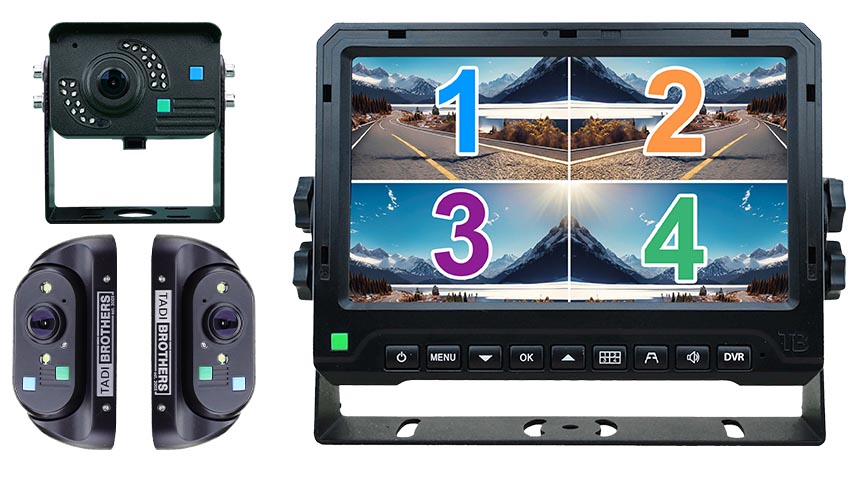
A wired system uses a cable between the camera and monitor. This provides a direct path for the video signal. It also avoids wireless signal issues.
If you tow often, a steady picture matters. You don’t want the image dropping during a tricky reverse. A wired setup can be a good long-term choice.
The main drawback is the installation work. Cables need a safe route through your truck.
Is a Wired Camera Worth the Installation?
A wired camera often suits a fixed setup. Once installed, it does not depend on radio transmission. But the cable must stay protected from heat and wear.
You should also check the video format. Not every camera works with every screen.
Before choosing a wired setup:
- Check the camera and monitor connections.
- Measure the full cable route.
- Confirm the system’s power needs.
- Keep wires clear of moving parts.
- Follow the maker’s installation guide.
TadiBrothers offers wired backup camera systems for different vehicle needs. Compare the full kits before choosing a camera alone.
Best for: F-150 owners who want a fixed camera with a direct video connection.
4. Wireless Backup Cameras for Less Cable Routing
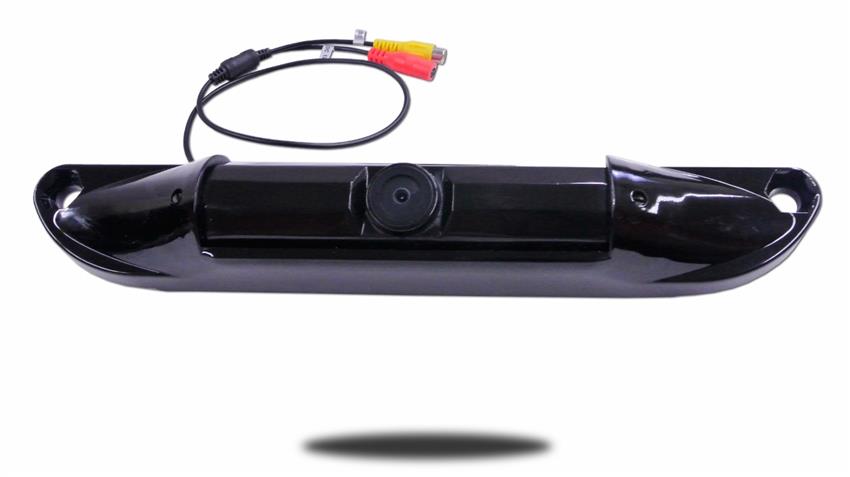
A wireless camera sends video without a long signal cable. This may make installation easier in some trucks. However, many wireless cameras still need wired power.
Think about adding a camera to an older F-150. You may not want to route video cables through the cab. A wireless system could reduce that work.
But the signal must remain reliable. Metal parts and nearby electronics may affect wireless video.
Wired vs. Wireless F150 Backup Camera
| Feature | Wired Camera | Wireless Camera |
| Video connection | Physical cable | Radio signal |
| Installation | More cable routing | Less video cable routing |
| Signal | Direct connection | Depends on signal conditions |
| Power | Usually wired | Often still wired |
| Ideal setup | Permanent installation | Difficult cable routes |
Neither type is always better. Your truck layout and daily needs should guide the choice.
For example, the TadiBrothers Wireless License Plate Camera for Trucks includes a seven-inch mirror monitor. TadiBrothers lists a 120-degree viewing angle and automatic night vision. The system also supports continuous viewing.
This may suit drivers who prefer a mirror display. Check the camera power needs and mirror fit before ordering.
Best for: Owners who want fewer video cables and a separate mirror monitor.
5. 360-Degree Camera Systems for Wider Coverage
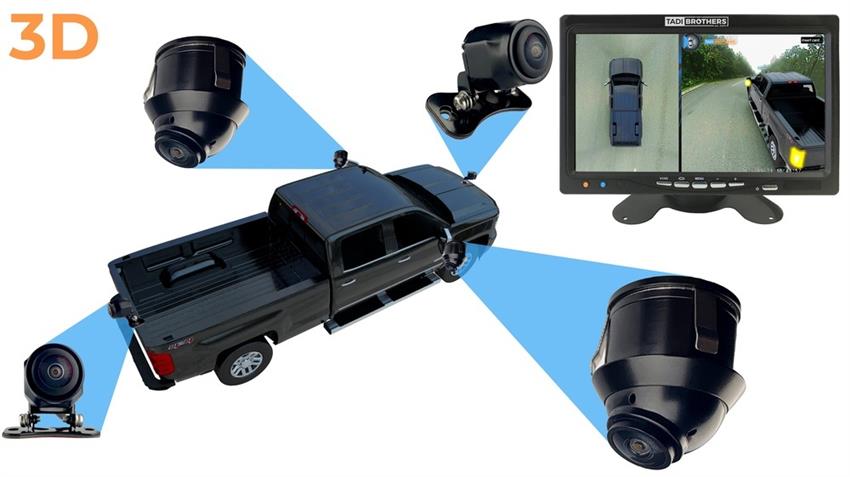
A single rear camera only shows one direction. A 360-degree system uses several cameras around your truck. Software combines their images into a wider view.
Picture parking a large F-150 between two vehicles. You need to watch the front, sides, and rear. A surround-view system can help you check those spaces.
These systems also make sense for some work trucks. Yet they cost more and require careful setup.
Is a 360-Degree Camera System Worth It?
A 360-degree system usually needs several mounting points. The cameras must also be set up and calibrated properly. That makes installation more involved than a basic rear camera.
The TadiBrothers 360-Degree Pickup Truck Camera System includes four 1080p cameras. It also features a seven-inch monitor and recording system.
The cameras cover the front, rear, and sides. The system combines these views into a surround image.
Best for: Drivers who want broader viewing coverage around their pickup.
How Do You Choose the Right Backup Camera Monitor?
A good camera needs a screen you can read. The monitor should also fit your truck’s cab. Poor placement can make even sharp video less useful.
Dashboard monitors offer a separate screen for viewing cameras. Mirror monitors combine a camera display with a rearview mirror.
A seven-inch screen is a common option. Still, you should check its size and mounting space.
Look for these monitor features:
- Brightness: Can you see the screen in daylight?
- Size: Does the monitor fit your cab?
- Inputs: Can it connect to more than one camera?
- Mounting: Will it block your normal view?
- Activation: Does it support your preferred viewing mode?
The best screen is one you can check with ease. It should never distract you from the road.
OEM Integration vs. Standalone Camera Systems
This is a key point when choosing an F150 backup camera. Your truck may already use Ford’s factory display. But aftermarket cameras do not always connect to that screen.
Factory systems use specific wiring, software, and video formats. An aftermarket camera may require a special interface. Some combinations may not support factory integration at all.
Can You Connect an Aftermarket Camera to Ford SYNC?
It depends on your truck’s model year and factory setup. You must confirm compatibility with the camera maker or installer.
A standalone system uses its own monitor and wiring. This can avoid some factory display issues.
If your original camera has failed, check the fault first. A factory-compatible repair may preserve features that a standalone kit cannot.
Do not assume any TadiBrothers system directly replaces your factory camera.
What Should You Check for Your F-150 Model Year?
Not every F-150 has the same camera setup. Older trucks may have different wiring and screens. Newer models may include more factory camera features.
Ford’s 2025 F-150 manual describes available bed and surround cameras. These features are not fitted to every truck.
Before buying, check:
- Model year: Confirm your exact F-150 year.
- Factory equipment: Check existing cameras and displays.
- Main use: Choose parking, towing, bed viewing, or wider coverage.
- Camera position: Confirm the chosen mount fits your truck.
- Power supply: Check voltage and wiring needs.
- Screen compatibility: Verify standalone or factory display requirements.
- Installation cost: Include extra parts and labor.
These checks can prevent an expensive mistake. They also help you avoid buying features you already have.
Choose the Camera That Fits Your Truck
The best F150 backup camera should solve a real viewing problem. License plate cameras suit basic parking needs. Higher cameras offer another view for cargo and towing.
Wired systems offer direct video connections. Wireless options may make cable routing easier. A 360-degree setup provides wider views around the truck.
You can explore TadiBrothers backup camera systems to compare the available options.
Before you buy, think about your hardest parking or towing task. Which camera view would make that job easier?
Frequently Asked Questions
Can You Add a Backup Camera to an Older F-150?
Many older F-150 trucks can use aftermarket camera kits. You must check power, mounting, and monitor needs first. Standalone systems may offer a simpler path.
Which Backup Camera Is Best for Towing?
Choose a camera based on the view you need. A rear camera can help you see the hitch. A higher camera may help you check the truck bed.
Does Every F-150 Have a 360-Degree Camera?
No, Ford camera features vary by year and equipment. Some trucks offer factory surround views. Check your vehicle’s manual before buying another system.
Can a Backup Camera Stay On While Driving?
Some aftermarket systems offer continuous viewing. Others show videos only when you reverse. Check the system details before buying.