
Boat trailers can create large blind spots while you reverse. Narrow ramps can make trailer positioning even more difficult. Side mirrors cannot always show everything behind your vehicle. A backup camera provides another view behind your vehicle.
The right camera depends on your trailer and towing needs. Mounting, signal range, and water resistance also matter. This guide covers five practical TadiBrothers camera setups. You will also learn which features matter most.
Why Do You Need a Backup Camera for a Boat Trailer?
Boat trailers can block your rear view while reversing. Larger boats can make these blind spots even larger. A backup camera provides another view behind your vehicle. This helps when parking, reversing, and aligning your trailer.
A camera can help you check obstacles before reversing. It can also improve visibility around your trailer. It can help you align your vehicle with the trailer hitch. It can also help monitor tight parking spaces.
It can help you navigate narrow boat launch ramps. It can improve visibility when towing larger boat trailers. Always use mirrors and direct observation with camera footage. Use a spotter when visibility becomes limited or unclear.
5 Best Boat Trailer Backup Camera Setups from TadiBrothers
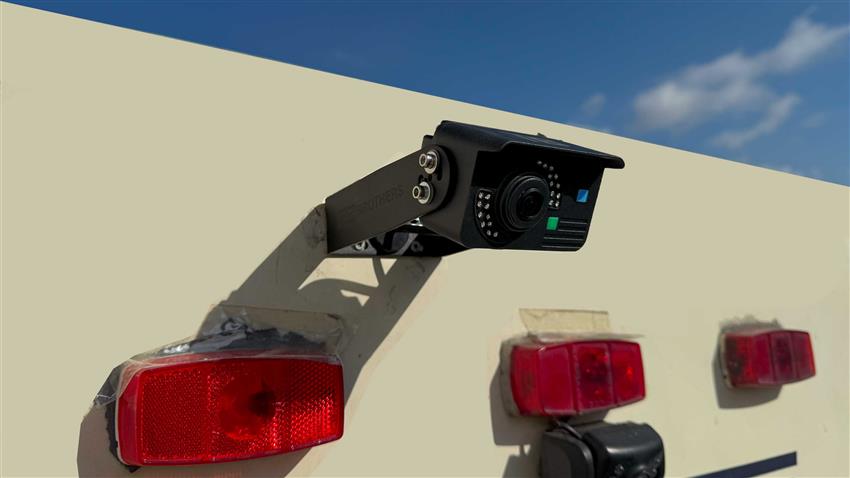
Different trailers require different camera configurations and features. Trailer length can also influence your camera choice. Mounting location can affect your viewing angle and coverage. Your towing needs should guide the final selection.
1. Long-Range Wireless Camera for Larger Boat Trailers
Longer trailers can make rear visibility more challenging. Wireless transmission range also becomes important with longer setups. The TadiBrothers Combination Trailer Auto-Pair Backup Camera offers extended wireless coverage.
The camera provides 1080p resolution for detailed rear images. The system advertises wireless transmission exceeding 300 feet. It also provides a 167-degree viewing angle for wider coverage. The seven-inch monitor supports connections with four cameras. Automatic pairing simplifies the initial camera connection process.
Best for: Longer boat trailers needing extended wireless coverage. Check mounting compatibility before using this system near water.
2. Wireless Camera With Rearview Mirror Monitor
A mirror-style monitor keeps camera footage within your viewing area. This setup avoids adding another standalone dashboard screen. TadiBrothers offers rearview mirror camera systems with different configurations.
These systems display camera footage near your normal mirror position. Some models can also support additional cameras for broader coverage. Check whether the monitor fits your vehicle’s existing mirror setup. Confirm compatibility before choosing a specific camera package.
Best for: Drivers wanting rear visibility without dashboard screen clutter.
3. License Plate Camera for Trailer Hitch Alignment
Trailer hitch alignment requires accurate vehicle positioning during hookup. Small alignment errors can require repeated adjustments during coupling. A license plate camera can help monitor the hitch area. This makes the coupling process easier to observe inside.
The TadiBrothers License Plate Backup Camera uses a wired camera configuration. The camera mounts around your vehicle’s license plate. Its adjustable lens helps position the viewing angle. A seven-inch monitor displays the camera feed inside your vehicle. Compatible systems can provide continuous or reverse-only viewing.
Best for: Drivers needing better visibility during trailer hitch alignment.
4. Wired Backup Camera for Consistent Video
Wireless cameras can experience interference under certain operating conditions. Wired cameras use direct connections for video transmission. TadiBrothers provides wired backup camera systems for different vehicle applications.
These systems transmit video through a direct cable connection. This removes wireless transmission from the video connection. Installation requires careful cable routing through the vehicle. Trailer connections also need protection from water and movement. Detachable trailers may require suitable connectors for easier separation.
Best for: Permanent installations requiring direct video connections.
5. Multi-Camera Setup for Wider Trailer Coverage
One rear camera cannot cover every surrounding blind spot. Larger towing setups can benefit from multiple viewing angles. Some TadiBrothers systems support connections with four cameras. Compatible cameras can monitor different areas around your vehicle.
Rear and side cameras provide different viewing perspectives. Multiple views can help during tighter maneuvering situations. Additional cameras require compatible connections and suitable mounting locations.
Best for: Larger towing setups requiring multiple camera perspectives.
Boat Trailer Backup Camera Setup Comparison
| Camera Setup | Main Advantage | Ideal Use |
| Long-range wireless | Extended wireless coverage | Longer trailers |
| Mirror monitor | Familiar display position | Drivers avoiding extra screens |
| License plate camera | Hitch-area visibility | Trailer alignment |
| Wired camera | Direct video connection | Permanent installations |
| Multi-camera system | Multiple viewing angles | Larger towing setups |
Choose the setup that solves your main visibility problem.
How to Install a Wireless Backup Camera on a Boat Trailer
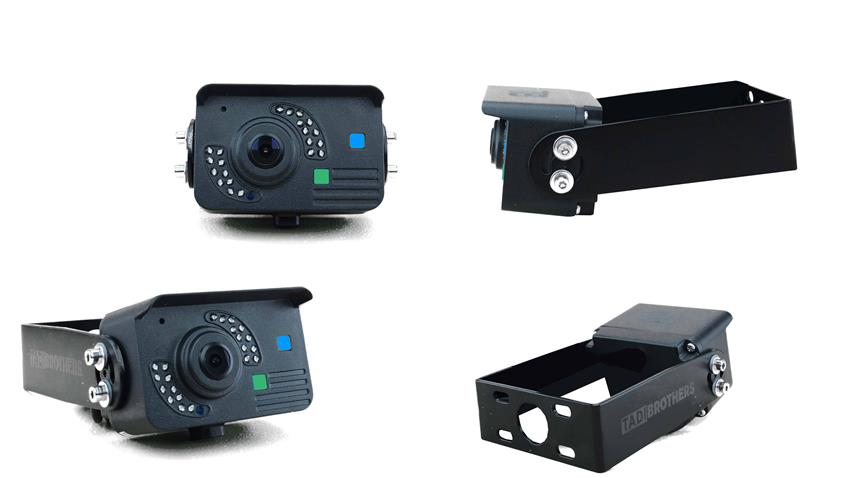
Installation requirements vary between camera systems and vehicle types. Always follow the manufacturer’s instructions for your specific model.
Step 1: Choose Your Camera Location
Choose a location with a clear view behind your vehicle. Avoid areas blocked by boats or trailer components. Keep sensitive equipment above expected water levels during launching.
Step 2: Secure the Camera
Use compatible hardware to secure the camera firmly. Make sure towing vibrations cannot loosen the mounting position. Magnetic cameras also require suitable surfaces and secure attachment.
Step 3: Connect the Power Supply
Camera systems use different power arrangements and connection methods. Some systems use vehicle power or rechargeable batteries. Follow the manufacturer’s specified voltage and wiring requirements carefully.
Step 4: Install Your Monitor
Position the monitor where you can view it comfortably. Connect the power supply and complete the required pairing. Make sure the monitor does not obstruct your driving view.
Step 5: Test Before Launching
Test the camera before approaching the boat ramp. Check the image, alignment, signal strength, and mounting stability. Always test the system before relying on its display.
Wired vs. Wireless Boat Trailer Backup Cameras
Wireless and wired cameras have different installation considerations. They also offer different connection methods and benefits.
Wireless cameras reduce the need for video cable routing. They work well when long cable runs become difficult. However, distance and interference can affect wireless signal strength.
Wired cameras transmit video through direct cable connections. They avoid wireless reception problems during normal operation.
However, cable routing makes installation more involved and time-consuming. Choose wireless systems when easier installation matters most. Choose wired systems when direct connections are preferred.
What Should You Look for in a Boat Trailer Backup Camera?
Waterproofing and Saltwater Resistance
Boat ramps expose cameras to water, spray, and moisture. Check the manufacturer’s documented water-resistance rating before purchasing. Water-resistant equipment is not automatically suitable for submersion. Saltwater can also cause corrosion around exposed electrical connections.
Wireless Range and Signal Strength
Longer trailers require sufficient wireless transmission distance between connected components. Compare advertised range with your actual towing setup. Metal structures and nearby interference can weaken wireless signals.
Night Vision and Viewing Angle
Night vision helps when reversing in poorly lit areas. Wider viewing angles can reveal more surrounding obstacles. Wide-angle images can also distort distance and object size.
Mounting and Power Options
Choose mounting hardware that suits your vehicle and trailer. Check available power sources before selecting your camera. Removable systems can provide more flexibility between different towing setups.
Where Should You Mount a Boat Trailer Backup Camera?
Your mounting position depends on the view you need. For hitch alignment, point the camera toward the coupling area. For rear visibility, choose an unobstructed rear-facing mounting position. Avoid locations near moving parts or loading equipment. Consider water exposure before securing the camera permanently. Test the viewing angle before making permanent mounting changes.
How to Use Your Backup Camera at a Boat Ramp
Approach the ramp slowly while checking surrounding obstacles. Use mirrors and direct observation to monitor your trailer. Watch the camera display while reversing toward the ramp. Stop whenever an obstacle appears or visibility becomes unclear. Use a spotter whenever your view becomes limited. Never rely exclusively on camera footage while launching.
Common Boat Trailer Backup Camera Problems
Weak signal: Check wireless distance, antenna position, and nearby obstructions.
Blank screen: Check camera power, monitor connections, and pairing settings.
Blurry image: Clean the camera lens and check for moisture.
Incorrect viewing angle: Adjust the camera mounting position before reversing.
Intermittent operation: Check power connections, wiring, and battery charge.
Which Boat Trailer Backup Camera Should You Choose?
The best boat trailer backup camera depends on your towing requirements. Choose long-range wireless systems for longer trailer configurations. Consider wired cameras when direct connections matter more.
License plate cameras can help with trailer hitch alignment. Multi-camera systems provide additional views around larger towing setups. Compare available TadiBrothers backup camera systems for suitable configurations. Choose a system that matches your trailer and visibility requirements.
Frequently Asked Questions
Can a Boat Trailer Backup Camera Get Wet?
Many cameras can withstand rain and normal water splashes. Check the manufacturer’s rating before exposing equipment to heavy spray.
Underwater use requires specific manufacturer approval for that application.
Can You Install a Wireless Camera Without Drilling?
Some magnetic camera systems can install without drilling mounting holes. Verify mounting strength and surface compatibility before towing.
Where Should You Mount a Boat Trailer Camera?
Mount the camera where it provides your required viewing angle. Keep it away from moving parts and excessive water exposure.
Do Wireless Backup Cameras Work on Long Trailers?
Yes, compatible long-range systems can work with longer boat trailers. Performance depends on distance, interference, and installation conditions.