
Dash cams come in several common configurations and designs, from single-camera and dual-camera setups to mirror-style, compact, and cabin-facing models. This guide breaks down seven options you are likely to encounter and what each one is best suited for. Which one is right for you really just comes down to what you want caught on camera. Ever stood in front of a wall of options wondering “do I really need all these lenses?” This guide sorts it out in plain English.
We talk to drivers every day who feel a little overwhelmed the moment they start researching types of dash cameras. The market moved fast, and now there are way more configurations than anyone expects from something that used to be a single lens stuck to a windshield.
Why Knowing Your Dash Cam Types Matters Before You Buy
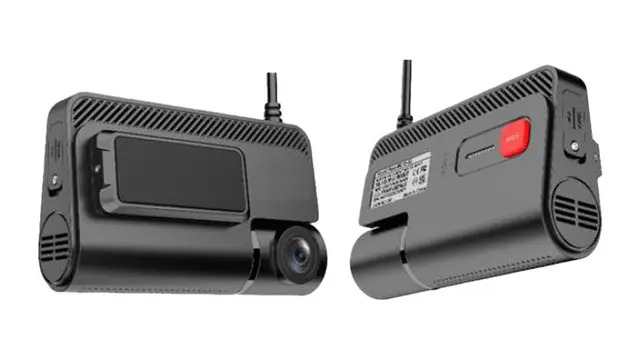
Buying the wrong setup is a bit like buying hiking boots without knowing the trail first. Sure, they might work fine, but you will feel it once things get rough. A rideshare driver may need something very different from a parent who mainly wants footage if someone dings their bumper at the grocery store.
Before scrolling through a huge dash cams catalog, ask yourself what you are actually trying to solve. That answer decides which of these seven dash cam types fits your life.
1. Single-Channel Dash Cams
The classic setup: one lens facing forward. It keeps things simple and focuses your coverage on the road ahead. It captures the road ahead, which covers most accidents and near misses people actually deal with. They generally cost less, use less storage than multi-camera systems, and are usually straightforward to install.
2. Dual-Channel Dash Cams
Now add a second lens pointed out the back window. That is dual-channel, and it has become one of the more popular types of dash cameras among everyday drivers, not just the pros. A rear camera adds another view when an incident happens behind your vehicle, giving you more context when reviewing footage or filing a claim.
3. Three-Channel Dash Cams
Three-channel systems typically combine front, rear, and interior cameras, giving you broader coverage around the vehicle. They are particularly useful for rideshare and delivery drivers who want both road and cabin coverage.
4. Mirror Dash Cams
Some drivers just hate the look of a camera stuck to their windshield, and mirror dash cams fix exactly that. These clip over your existing rearview mirror, blending in while still recording. The trade-off is that the mirror can feel bulkier than a standard rearview mirror.
5. Mini Dash Cams
Small and discreet, these cameras can be easy to overlook once installed. Mini dash cams use a compact design that takes up less space near the rearview mirror. Many prioritize a compact footprint over a large built-in screen, which can make them a good fit when you want a less noticeable installation.
6. Battery-Backed and Supercapacitor Dash Cams
Some dash cams use a small internal battery or supercapacitor to handle shutdown and short periods of power loss. Supercapacitors are especially common in dash cams because they generally tolerate high temperatures better than lithium batteries. For extended parking-mode recording, however, many systems still need a hardwire kit or another continuous power source. A few things worth knowing before you buy one:
- Battery life varies by model.
- Supercapacitors generally aren’t intended to power hours of recording.
- High temperatures can affect battery longevity.
- Check the manufacturer’s parking-mode requirements before buying.
7. Cabin Facing Dash Cams
These point inward, watching the driver and interior. Cabin-facing cameras can be useful for fleet operators monitoring driver activity, as well as for families who want an interior record when a newer driver is behind the wheel. IIf you record inside the cabin, make sure everyone involved understands how the camera is being used and check any applicable recording-consent rules.
Bonus: Wi-Fi and Cloud-Connected Dash Cams
Worth knowing about, even in a guide built around seven core types. Some dash cams use Wi-Fi to connect directly to your phone, making it easier to view or download footage without removing the memory card. Cloud-connected models go a step further by uploading footage remotely, usually through a cellular connection and often with a subscription. The catch is cost and connectivity. Cloud features may require a monthly plan and a reliable cellular connection, so check what’s included before you buy.
One Feature That Cuts Across Every Type: Night Vision
Resolution numbers can be misleading. A 4K camera with a weaker low-light sensor can produce less useful nighttime footage than a well-designed 1080p camera with a strong low-light sensor, such as a Sony STARVIS-based system. Don’t chase the biggest number on the box, check real night footage samples instead, no matter which type you end up leaning toward.
How Do You Actually Choose Between These Types?
A few real decision moments worth sitting with:
- Drive for rideshare or delivery? Lean toward three-channel coverage
- Park on the street overnight? Prioritize a reliable parking mode and check whether the camera requires a hardwire kit or another continuous power source.
- Just want basic protection for daily commuting? Single or dual-channel covers you fine
- Sharing your car with a new driver? A cabin-facing camera can provide interior coverage, provided everyone understands how the footage is being recorded.
There is no universal best answer here. The right choice matches how you actually use your car, not whichever spec sheet has the biggest numbers on it.
TadiBrothers carries dash cams in several configurations, so the best starting point is to narrow down your coverage needs before comparing individual models.
Frequently Asked Questions
1. What’s the simplest type of dash cam?
A single-channel dash cam is the simplest setup because it uses one forward-facing camera and generally requires less storage than multi-camera systems.
2. Do I need a front and rear camera, or just one?
If you mostly want coverage of the road ahead, a single-channel model may be enough. A rear camera adds useful coverage for incidents behind your vehicle, particularly if you regularly drive in heavy traffic or park in busy areas.
3. Are wireless dash cams reliable?
Wi-Fi-enabled dash cams can be reliable for transferring footage to a phone, but Wi-Fi does not necessarily mean the camera uploads footage to the cloud. Cloud-connected models depend on cellular service and may require a subscription.
4. Which dash cam type is best for night driving?
Skip the resolution number and check sensor quality instead. A strong low light sensor beats raw megapixels once the sun goes down.
Bringing It All Together
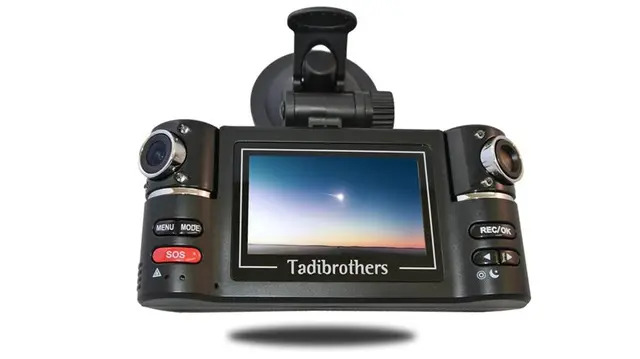
Seven core dash cam types, plus a couple extras worth knowing about, sounds like a lot to sort through at first. But most people land on their answer within a few minutes once they know what to ask themselves. Where do you drive? How do you park? What protection actually matters to you?
A good camera from a trusted dash cams lineup earns its keep the one day you actually need the footage, not the ninety-nine days you don’t.
So, which of these dash cam types actually fits the way you drive?