
You can add a backup camera to almost any car in an afternoon, for under $100, without a dealer visit. The part most people don’t find out until they’re two hours into a YouTube rabbit hole is that it’s genuinely one of the more beginner-friendly upgrades you can do on a vehicle.
Every car built from May 2018 onward in the US ships with a backup camera by federal law. Every car built before that doesn’t, and there are a lot of those still on the road. If yours is in that group, you’re reversing without visibility of the zone directly behind your rear bumper, which is where small children, low bollards, and shopping carts tend to be.
The good news is that aftermarket cameras have caught up completely with factory systems in terms of image quality and ease of install. TadiBrothers’ backup camera systems include everything needed for a complete installation, and the process is less intimidating than most people assume before they start.
Before You Start: Three Things That Save Hours Later
Before you touch the car, take photographs. Photograph the back of your boot trim before you remove it. Photograph the wiring around your rear light cluster before you splice into anything. Photograph the path you plan to route the cable before you start routing it. This takes two minutes and will save significant backtracking if anything looks confusing when you’re mid-install at 4pm on a Sunday.
Open every box and lay all components out before you begin. Count the pieces against the kit instructions. Missing hardware is easier to sort out before you’ve started than after you’ve dismantled your boot lining. Check that the video cable is long enough to reach from your rear bumper to your planned display position. If it isn’t, order an extension before you start.
Make a checklist of tools before you begin: plastic pry tool set for removing trim panels without cracking clips, a multimeter for testing the reverse light wire, electrical tape or heat shrink connectors for wire splices, a small flashlight or headlamp, and a trim clip removal tool. None of these are expensive and all of them are the difference between a clean install and a frustrating one.
- Photograph everything before you touch it. Boot trim, rear light area, cable routing path. Reference photos prevent mid-install confusion.
- Lay out all kit components and count them. Check against the included instructions before dismantling anything.
- Measure cable length. A standard backup camera cable is 6 metres. Longer vehicles or complex routing may need an extension.
- Gather tools first. Pry tool, multimeter, electrical tape, flashlight. Add 30 minutes to your estimate if you need to stop mid-install to find a tool.
Wired or Wireless: The Decision That Changes the Whole Install
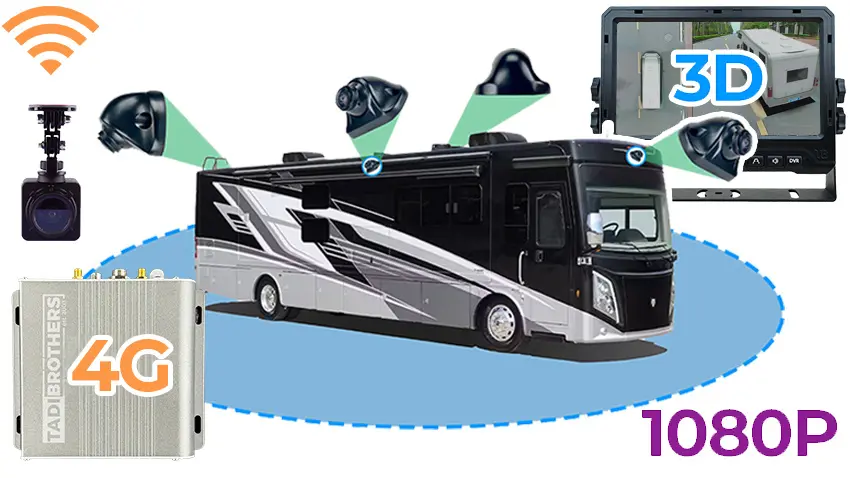
This is the choice that shapes everything downstream, so it’s worth settling before you buy anything. Wired systems run a physical video cable from the camera at your rear bumper to the display. Wireless systems replace that cable with a radio link. Both work well. They suit different situations.
Wired gives you a more consistent signal with no interference risk. It’s the right choice for a permanent install on a passenger car where you’re willing to spend the time routing cable behind trim panels. Wireless saves most of that routing work because you only need to run a power wire to the camera. Signal quality on modern wireless kits is reliable for almost all driving environments.
| Factor | Wired System | Wireless System |
| Signal quality | Consistent, no interference | Good, occasional glitch in very high RF |
| Install time | 2 to 4 hours | 30 to 90 minutes |
| Cable routing | Cable runs full length of vehicle | Power wire to camera only |
| Best for | Permanent install, clean finish | RVs, trailers, older cars, quick retrofit |
| Reliability | Very high | High, minimal signal drop on modern kits |
| Latency | None | Slight delay, fine for recording, check for parking aid |
One nuance worth knowing: wireless systems have a small latency in the video signal. For a recording dash cam this doesn’t matter at all. For a live parking aid where you’re actively manoeuvring, the fraction-of-a-second delay is noticeable to some drivers but not problematic for most. If this concerns you, wired is the right call.
Where and How to Mount the Camera: Position and Angle Both Matter
Most guides tell you where to put the camera. Fewer tell you that the angle you set it at determines whether the image is actually useful. A camera pointed too high shows you the sky and the tops of objects. Too low and you see mostly the ground close to the bumper. The sweet spot depends on your vehicle height.
| Mount Type | Position | Vehicle Type | Drill Required? |
| Licence plate frame | Above licence plate | Cars, SUVs, hatchbacks | No |
| Surface / flush mount | Bumper face or tailgate | Trucks, vans, custom | Yes (small hole) |
| Mirror monitor combo | Clips over rear-view mirror | Any, no factory screen | No |
| Tailgate handle mount | Inside existing handle | Pickup trucks | No |
| Universal bracket | Any flat rear surface | Trailers, RVs, vans | Usually no |
The camera angle table below gives the recommended height and downward angle by vehicle type. These are starting points. You’ll adjust slightly after your first test, which is why you don’t fully tighten the camera mount until you’ve viewed the live image in reverse and confirmed the field of view.
| Vehicle Type | Recommended Height | Downward Angle | Ground Coverage Target |
| Sedan / hatchback | 24 to 32 inches | 15 to 25 degrees | 3 to 8 feet behind bumper |
| SUV / crossover | 28 to 36 inches | 20 to 30 degrees | 4 to 10 feet behind bumper |
| Pickup truck | 30 to 42 inches | 25 to 35 degrees | 5 to 12 feet behind bumper |
| Van / minivan | 28 to 40 inches | 20 to 30 degrees | 4 to 10 feet behind bumper |
| RV / motorhome | As high as practical | 30 to 40 degrees | 6 to 15 feet behind bumper |
The target is to see the ground starting at about 3 feet behind the bumper and extending outward. You want enough sky and background in the image to judge distances clearly, but the primary content of the image should be the zone where objects you might reverse into actually exist. Set the angle, check the live image, adjust, then tighten the mount.
| When the camera is in its test position but not yet fully tightened, have someone stand 4 feet behind your rear bumper while you look at the live image in reverse. They should be clearly visible from approximately knee height upward. If you can only see their shoulders and above, the camera angle is too high. If you only see their feet, it’s too low. |
What Display Do You Actually Need?
Before mounting the camera or routing any cable, confirm where the image is going to appear. This is the step that stops more people than any other and it’s worth sorting out completely before anything else happens.
If you already have an aftermarket head unit with a camera input (usually an RCA port labelled CAM or BACK), you connect the camera directly to it and configure the head unit to switch to camera mode when it receives a trigger signal from the reverse gear. No additional display needed.
If you have a factory radio with no camera input, or no screen at all, you add a standalone monitor. A mirror monitor clips over your existing rear-view mirror and is completely invisible until the car reverses. A dashboard monitor mounts on a suction cup or adhesive bracket. Both power from a switched 12V source and display the camera automatically when reverse is engaged.
- Existing aftermarket head unit with camera input: plug in directly, connect trigger wire to reverse light circuit
- Factory radio with no camera port: add a standalone monitor or upgrade the head unit
- No screen at all: standalone monitor is the quickest route, mirror monitor is the neatest finish
- Want full CarPlay/Android Auto integration: aftermarket head unit project, plan for a full day install
How to Add a Backup Camera to Your Car: Step by Step
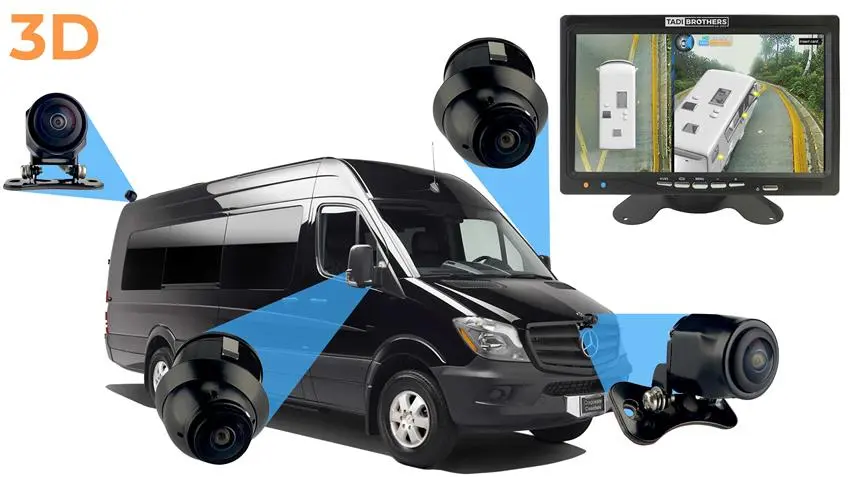
These steps cover a wired install on a passenger car or SUV. The wireless version differs at Step 4 and is covered separately at that point.
Step 1: Plan Your Cable Route Before You Remove Anything
Walk the path from the camera position at the rear to the display at the front. Identify where the cable will cross from outside the vehicle to inside (usually through the boot floor grommet or an existing hole in the boot floor panel). Note where it will run inside: along the boot floor, under the door sill trim, under the dashboard to the display. This planning step prevents the most common install mistake: routing the cable and discovering a dead end halfway through.
Take your photographs here. Boot interior before trim removal. The area around the rear light cluster before any wiring work. The routing path along each section. You’re building a reference document for if anything looks wrong on reassembly.
Step 2: Mount the Camera at the Correct Position and Angle
For a licence plate mount, remove the existing frame and plate, fit the camera bracket, feed the cable through the existing boot floor hole or the nearest grommet, and reinstall the plate. Fifteen minutes of work.
For a surface or flush mount, mark the drill position, drill the hole, insert the camera, and feed the cable into the boot. Take the angle table above and set the initial angle before tightening fully. You’ll fine-tune after testing.
Don’t fully tighten the camera mount at this stage. You want the ability to adjust the angle slightly once you see the live image. Over-tightening now means loosening and re-routing later.
Step 3: Find and Connect to the Reverse Light Wire
This step makes most first-timers nervous and it shouldn’t. The reverse light wire carries power only when the car is in reverse, which is exactly what you need: the camera powers on automatically when you reverse and powers off when you shift out. Finding the right wire is the key step.
Access the rear light cluster from inside the boot. Check your car’s owner’s manual for the reverse light wire colour, or search for your vehicle make and model reverse light wire colour. Set your multimeter to DC volts. With the car running and in reverse, probe the wires at the cluster until you find the one showing 12V. That’s your target wire. Turn off the engine before splicing.
Splice the camera’s red power wire to the positive reverse light wire and the black ground wire to a good chassis ground point nearby. Use proper connectors: heat shrink crimp connectors are more reliable than electrical tape alone. Pull gently on each connection after crimping to confirm it’s secure.
- 12V in reverse = correct wire. Test with multimeter before splicing.
- Positive to positive, negative to ground. Grounding to a body bolt near the light cluster is clean and reliable.
- Use heat shrink connectors. They seal moisture out and hold better than bare electrical tape in a boot environment.
- Never strip the wire completely. Splice by separating a few strands to loop your camera wire through, then crimp and seal.
Step 4 A: Run the Video Cable (Wired Systems)
Thread the video cable from the camera through the boot floor grommet into the boot interior. Route it along the boot floor, tuck it under the door sill trim panels along one side of the car, bring it up behind the dashboard, and connect it to the camera input on your display. Use cable clips or adhesive tie mounts at each section to keep the run secure and prevent rattling.
Route away from exhaust components and heat sources. If the cable needs to cross through a door aperture, use an existing rubber grommet or door seal channel. Never pinch a cable in a door seal or run it across a hinge point without proper protection.
Step 4 B: Install and Pair the Transmitter (Wireless Systems)
Connect the wireless transmitter to the camera’s video output and mount it in the boot area, away from metal panels where possible. The transmitter’s antenna needs a clear line of sight toward the front of the vehicle, which typically means positioning it high in the boot rather than under the floor liner.
Connect the receiver to your display’s camera input and position it near the display. Power both transmitter and receiver from the reverse light circuit on each end. Follow your kit’s pairing procedure: most involve pressing a pair button on both units simultaneously while power is applied. Confirm the pairing is complete before routing any trim permanently.
Wireless systems are sensitive to metal obstruction between transmitter and receiver. If you experience signal loss during testing, move the transmitter to a higher, more central position in the boot. Avoid positioning it directly against a metal body panel.
Step 5: Connect to Display, Test, Adjust, and Secure
With the video connection made and the display powered, put the car in reverse and check the image. Confirm it appears immediately when reverse is engaged. Check the orientation: the image should be mirror-flipped by default so that left and right in the image match left and right from the driver’s perspective. If it isn’t, toggle the mirror mode setting on the camera or display.
Check the angle with someone standing 4 feet behind the bumper. Confirm the field of view matches your target from the angle table. Adjust the camera angle if needed, then tighten the mount fully.
Once the image is correct and the mount is tight, close all trim panels, reinstall door sills, and refit the boot liner. Secure all cable runs with clips. Run one final test in a clear space, reversing slowly toward a solid object, to confirm the system is stable and the image stays clear throughout.
Camera and Sensor Together: When You Actually Need Both
A backup camera shows you an image. A parking sensor gives you audio distance feedback. They’re not the same thing and neither replaces the other. A car back camera with sensor combines both in a single system, and for drivers upgrading from nothing, this combination covers scenarios that a camera alone doesn’t.
Sensors detect distance whether you’re looking at the screen or not. In the dark, when the camera image is harder to read. At the edge of the camera’s field of view, where the lens doesn’t quite reach the bumper corners. The beep that escalates as you approach is a parallel alert system that runs alongside the visual feed. For tight parking or overnight street parking where the camera helps but the audio confirmation makes the difference, the combination is genuinely worth the slightly higher cost.
| Feature | Camera Only | Car Back Camera with Sensor |
| What you get | Visual image | Visual image + audio distance alerts |
| Blind spot at bumper | Depends on camera angle | Covered by sensor detection zone |
| Works in darkness | Depends on night vision | Sensors fully functional in any light |
| Parking guidance | Visual only | Visual + escalating beep as you approach |
| Best for | General reversing aid | Tight spaces, night parking, full protection |
TadiBrothers’ range includes both standalone cameras and combined backup camera and sensor systems that install as a single kit. For most drivers doing their first aftermarket upgrade, starting with the combined system rather than adding sensors separately later saves an additional install session.
Troubleshooting: When the Camera Doesn’t Work Properly
Most backup camera problems trace back to three things: power connection, video cable seating, or camera angle. The table below covers the most common symptoms and what to check first. Work through the likely causes from simplest to most complex before assuming a component has failed.
| Symptom | Likely Cause | Fix |
| No image when reversing | Camera not getting power / blown fuse | Check fuse, verify reverse light wire connection |
| Image flickers or goes in/out | Loose video cable / poor ground | Reseat all connectors, check ground wire quality |
| Blurry or washed-out image | Camera angle wrong or lens dirty | Clean lens, readjust angle, check for condensation |
| Black screen on display | Display not triggered / wrong input | Check trigger wire, verify monitor is on correct input |
| Lines on image (electrical noise) | Camera power too close to other circuits | Use shielded cable, move power tap to cleaner circuit |
| Image appears upside down | Mirror/flip mode setting incorrect | Toggle mirror or flip mode in camera settings |
| Camera works but parking lines off | Guidelines not calibrated post-install | Toggle guideline wire or adjust in camera settings |
| Wireless signal drops or lags | Transmitter placement / interference | Move transmitter closer to receiver, avoid metal panels |
The most common post-install issue is no image or a black screen. Before assuming the camera is dead, check the fuse for the camera circuit. Check that the reverse light wire splice has solid continuity by probing it with the multimeter in reverse. Check that the video cable is fully seated at both ends. Most ‘dead camera’ diagnoses turn out to be a loose connector at the display end of the video cable.
Electrical noise appearing as lines or patterns across the image almost always points to the camera’s power source being too close to another electrical circuit. Try drawing power directly from the reverse light circuit rather than a tap elsewhere in the vehicle. Using a shielded video cable rather than a basic RCA cable also reduces interference significantly on longer cable runs.
How Much Does It Cost to Add a Backup Camera to Your Car?
The cost varies significantly depending on what type of camera you choose, whether you already have a display to connect to, and whether you do it yourself or have a professional install it.
| Setup | Camera | Display | Install | Total |
| Wireless + existing screen | $40 to $80 | $0 | $0 DIY | $40 to $80 |
| Wired + standalone monitor | $20 to $60 | $40 to $100 | $0 DIY | $60 to $160 |
| Camera + sensor combo kit | $60 to $150 | $40 to $100 | $0 DIY | $100 to $250 |
| Wired + aftermarket head unit | $20 to $60 | $100 to $300 | $0 DIY | $120 to $360 |
| Professional install | Kit price | Varies | $100 to $250 | $140 to $400+ |
Professional installation adds cost but removes the time commitment and any uncertainty around the wiring steps. An independent car audio shop typically charges $100 to $250 labour for a backup camera install, less if you supply the camera and more if the vehicle has complex trim or factory integration requirements. If you’re also adding a head unit, doing both at the same visit is more efficient than two separate appointments.
The Federal Law Worth Knowing Before You Start
Since May 1, 2018, all new light vehicles sold in the US must display a rear camera image when the driver engages reverse. This applies to vehicles up to 10,000 pounds GVWR. The regulation came from research documenting thousands of preventable deaths and injuries annually from rear-over incidents, the majority involving children under 5 in residential driveways.
If your car predates 2018, you’re under no legal obligation to retrofit a camera. But the safety case for doing so is exactly as strong as it was for the legislators who passed the rule. Adding a camera to an older vehicle costs less than one body shop visit and takes an afternoon. The protection it provides is identical to what every new car has been required to include for the past seven years.
A backup camera became mandatory on new US vehicles in 2018 because the data was unambiguous. Reversing incidents happen invisibly, at low speeds, in familiar places, to careful drivers. The camera doesn’t change your driving. It changes what you can see.
Adding one to an older vehicle is one of the highest-return safety upgrades available for under $100 and an afternoon of work. TadiBrothers’ backup camera systems include everything needed for both wired and wireless installs, with kits designed for any vehicle type from a compact sedan to a full-size RV.
Here’s the question worth answering before you put the car in reverse tonight: if something were directly behind your rear bumper right now, would you see it in time?
FAQs
1. Can I add a backup camera to any car?
Yes. TadiBrothers’ backup camera systems include licence plate mount, surface mount, and wireless options for any vehicle type regardless of make, year, or model. The only variable is which mounting style and display connection suits your specific car.
2. Do I need a screen already in my car to add a backup camera?
No. A standalone monitor adds the display capability independently of your factory radio. Mirror monitors clip over your existing rear-view mirror. Dashboard monitors use adhesive or suction mounting. Both power from the accessory circuit and activate automatically in reverse.
3. What is a car back camera with a sensor and is it worth it?
A car back camera with sensor combines a visual camera feed with a proximity sensor that gives audio distance alerts as you reverse toward an object. The sensor covers the bumper-level blind zone that the camera angle sometimes misses, and it works in complete darkness when the camera image is harder to read. For tight parking scenarios or vehicles with high reversing distances, the combination is meaningfully more useful than a camera alone.
4. How should I angle my backup camera?
Mount the camera at 24 to 48 inches high depending on vehicle height (lower for sedans, higher for trucks and SUVs) and angle it downward 15 to 35 degrees so the image shows the ground starting approximately 3 to 5 feet behind the rear bumper. Test with a person standing 4 feet behind the bumper: they should be clearly visible from approximately knee height up. Adjust angle before fully tightening the mount.
5. How do I find the reverse light wire?
Access the rear light cluster from inside the boot. Check your owner’s manual for the reverse light wire colour for your specific vehicle. Set a multimeter to DC volts. Start the car and engage reverse. Probe the wires at the cluster until you find the one showing approximately 12V. That’s your target. Turn off the engine before splicing.
6. Why isn’t my backup camera showing an image after install?
Check in this order: the fuse for the camera circuit, the splice at the reverse light wire (probe with multimeter in reverse to confirm 12V is reaching the camera), the video cable connection at both ends, and the trigger wire connection at the display. Most ‘dead camera’ issues are a loose connector or an interrupted power connection rather than a failed component.
7. Wired or wireless for an older car?
Wireless is often the practical choice for older vehicles where routing a cable the full length of the car means removing significant trim. Modern wireless kits handle the signal well in almost all driving environments. If you’re installing a permanent system on a vehicle you’ll keep it long-term and you’re willing to spend a few extra hours on the cable run, wired gives a cleaner finish and more consistent signal.
8. Does adding a backup camera affect my warranty?
Under the Magnuson-Moss Warranty Act, a dealer cannot void your warranty simply because an aftermarket part is installed. They would need to demonstrate that the specific aftermarket part caused the specific issue they’re declining to cover. A backup camera connected only to the reverse light circuit and a display input poses essentially no risk to existing vehicle systems.