
If you want your 4K dash cam footage to save every single time, you need a high-endurance SD card built for heat, loops, and constant writing. That is the simple truth.
Many people buy a premium camera like the 4K Dash Camera, install it perfectly, and then use a cheap memory card. Weeks later, when they need footage, the file is gone or corrupted.
A 4K dash cam records large files every minute. It overwrites old footage in a loop. That constant stress kills normal SD cards. So if you are serious about protecting yourself on the road, choosing the best SD card for Dash Cam use is not optional. It is critical.
Let’s talk about it.
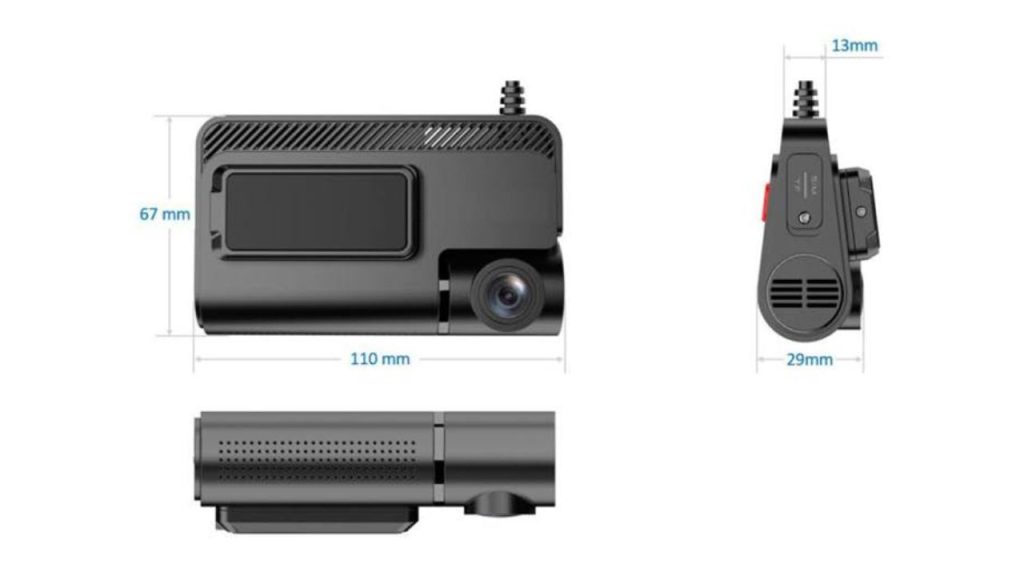
Why the Best SD Card for Dash Cam Matters More Than You Think
Your dash cam writes data nonstop. It works in heat. It handles vibration. It survives power cuts. A normal memory card is not built for that.
Here is what happens when you choose wrong:
- Files get corrupted
- Recording randomly stops
- Card becomes unreadable
- Important accident footage disappears
If you are using a system like:
- 4K Dash Camera with a Backup Camera USB-C
- 1080P Commercial Grade Driver Dash Camera (Expandable)
- Backup camera systems
You need an SD card that can handle heavy, continuous recording.
Ask yourself:
“Will this still work six months from now?”
“Will it survive summer heat inside my car?”
“Is saving $10 worth losing proof in an accident?”
You already invested in a quality dash cam. The SD card should match that level.
Watch: Wireless Clip-On Mirror Backup Camera & Dash Cam – Full Review & Features
What to Look for in the Best SD Card for Dash Cam Recording
Before we jump into the top picks, understand what matters.
1. High Endurance Rating
Look for “High Endurance” or “Max Endurance.” These are built for constant write cycles.
2. Speed Class
For 4K recording:
- U3
- V30
- Class 10
Anything lower may struggle with 4K files.
3. Heat Resistance
Cars get extremely hot. A good card should handle at least 70°C or more.
4. Capacity
For 4K dash cams:
- 128GB is solid
- 256GB gives longer loop time
If you use dual cameras, storage fills faster.
5. Mini SD Card vs Micro SD Card
Most dash cams use micro SD cards. Some systems may support mini SD with an adapter. Always check your camera specs.
The 4K Dash Camera with a Backup Camera USB-C (2025) supports high-capacity micro SD cards, ideal for long 4K loop recording.
5 Best SD Cards for 4K Dash Cams That Never Fail
These are trusted, field-tested options used by fleet drivers, truck owners, and daily commuters.
1. SanDisk High Endurance microSDXC
This is one of the most reliable choices.
It is built specifically for dash cams and home cameras. It handles constant recording without slowing down. Many drivers use this card for years without issues.
Why it works:
- Designed for continuous video
- Handles heat well
- Available in 128GB and 256GB
- U3 and V30 rated
If you drive daily or use your vehicle for work, this is a safe bet.
2. Samsung PRO Endurance
This card is built like a tank.
Samsung designs this for extreme conditions. It is ideal for commercial drivers using the 1080P Commercial Grade Driver Dash Camera (Expandable).
Key strengths:
- Very high endurance cycles
- Strong heat protection
- Stable write speeds for 4K
- Reliable brand support
If your vehicle runs all day, this card makes sense.
3. Kingston High Endurance microSD
Kingston offers strong reliability at a fair price.
It performs well with dual camera systems. If you install 1 or 2 rear view cameras from TadiBrothers, this card keeps up with the data load.
What you get:
- Solid durability
- Good 4K support
- Affordable compared to premium tiers
This is ideal for personal cars and small fleets.
4. Lexar High Endurance
Lexar makes dependable cards that many users overlook.
It handles temperature changes well. It maintains steady write speeds. For drivers who park outdoors, this matters.
Why consider it:
- Stable performance
- Good value
- Available in large capacities
- Suitable for 4K recording
If you want a balance between cost and performance, this is worth it.
5. SanDisk MAX Endurance
This is the premium option.
It costs more. But it lasts much longer under heavy use. Fleet managers often choose this for commercial setups.
It works extremely well with the 4K Dash Camera with a Backup Camera because 4K recording demands consistent speed.
Best for:
- Trucks
- Commercial vans
- Ride-share drivers
- Long-distance travel
If you never want to think about your SD card again, this one gives peace of mind.
How Much Storage Do You Really Need?
Let’s be practical.
A 4K dash cam uses a lot of space. Dual cameras double the load.
General guide:
- 64GB: Not ideal for 4K
- 128GB: Good for daily drivers
- 256GB: Better for long hours
- 512GB: For heavy commercial use
Ask yourself:
“Do I drive long hours?”
“Do I want footage saved longer before it loops?”
“Am I recording front and rear?”
If yes, go 256GB or higher.
Does the Backup Camera System Affect SD Card Choice?
Yes.
If you install backup camera systems with 1 or 2 rear cameras from TadiBrothers, data writing increases.
More cameras mean:
- More files
- Larger storage demand
- Faster overwriting cycles
That means your best SD card for Dash Cam setup must handle multi-channel recording.
Cheap cards fail faster in dual systems. Always choose endurance models.
Common Mistakes People Make
You would be surprised how often these happen:
- Buying standard SD instead of high endurance
- Choosing lowest price option
- Ignoring speed rating
- Never formatting the card
- Filling the card to full capacity constantly
A quick tip: format your SD card inside the dash cam once every month. It keeps the file system clean.
Mini SD Card vs Micro SD: What Should You Buy?
Most modern dash cams use micro SD cards.
A mini SD card is larger and often needs an adapter. While adapters work, they add another failure point.
If your camera supports direct micro SD, use that. Keep it simple.
Always check the product page before buying. Systems like the Commercial Grade Driver Dash Camera systems clearly state compatible card types.
Is Spending More on the SD Card Worth It?
Short answer: Yes.
Think about why you bought a 4K dash cam.
You want:
- Protection
- Proof in accidents
- Security
- Legal safety
Now imagine an accident happens. You go to review footage. The file is corrupted.
That small savings suddenly feels very expensive.
When you invest in quality products like the 4K Dash Camera with a Backup Camera USB-C, match it with reliable storage. That combination works together.
Quick Buyer Checklist
Before checkout, confirm:
- High Endurance label
- U3 or V30 rating
- 128GB or higher for 4K
- Heat resistant
- Compatible with your dash cam
If all five are checked, you are safe.
Final Thought
A dash cam is only as strong as the memory card inside it. You can install the best camera, wire it perfectly, and still lose everything with the wrong storage.
So ask yourself honestly. Do you want a card that works for a few weeks, or one that protects you when it truly counts?